Business Process Diagram template for PowerPoint & Google Slides

Business Process Diagram Infographics Presentation Slide Template For PowerPoint & Google Slides
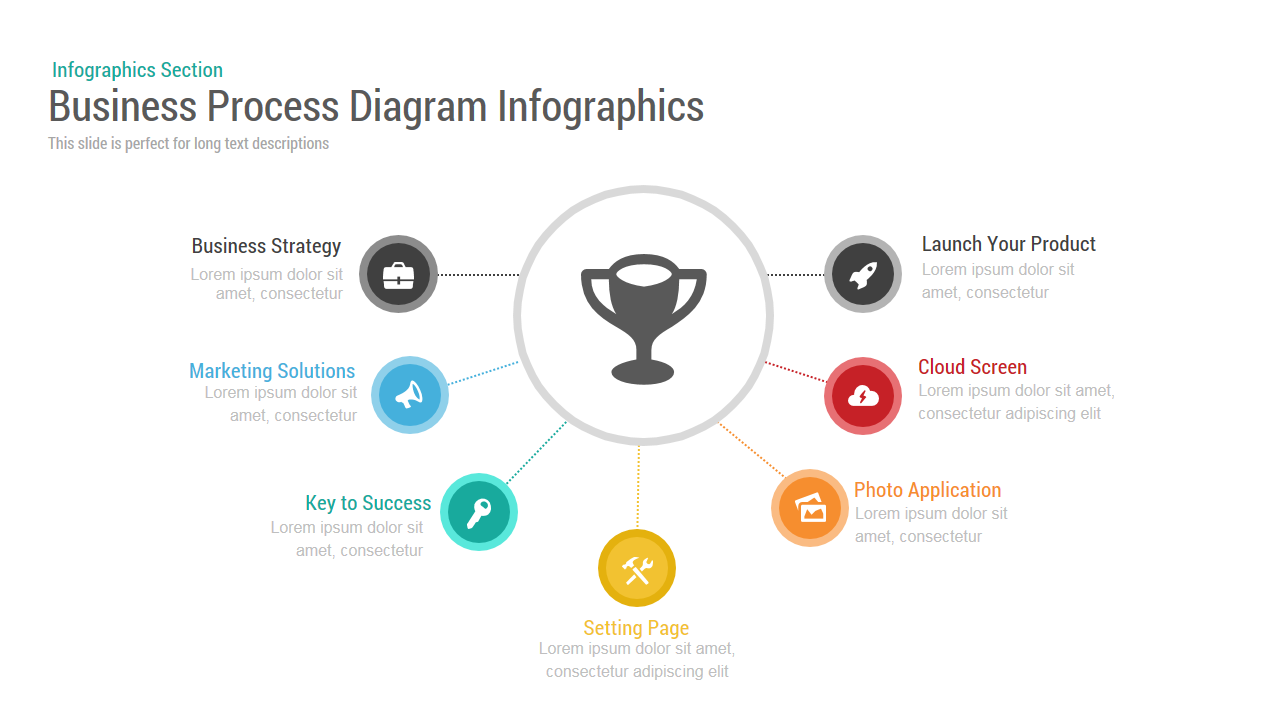
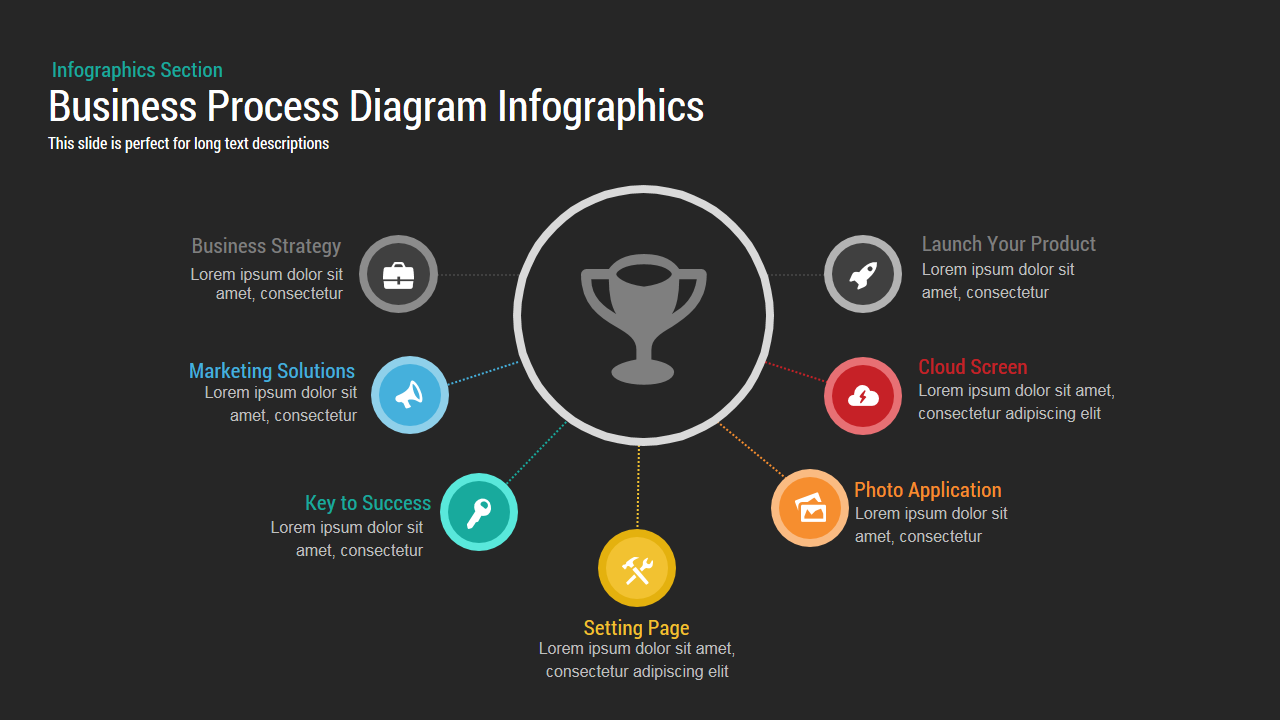
This Business Process Diagram Infographics Presentation Slide Template for PowerPoint and Google Slides provides a radial hub-and-spoke layout engineered to showcase operational workflows, strategic business pillars, product launch phases, and success drivers. Centered around a prominent achievement trophy hub with seven color-coded spoke nodes radiating outward along dotted connector paths, it organizes multi-departmental deliverables and project milestones into a clear, unified presentation framework.
Slide Layout & Elements Breakdown
The slide opens in the upper-left quadrant with a muted teal category marker reading “Infographics Section”, set directly above the primary title “Business Process Diagram Infographics” in condensed dark charcoal typography. Immediately below, a subtle sub-header highlights that the slide is structured for long text descriptions and comprehensive stage overviews.
Anchoring the center of the canvas is a large circular disc framed by a soft gray border, featuring a solid trophy silhouette that represents core business objectives, ultimate project goals, or enterprise success. Radiating outward in a semi-circular arc are seven circular icon nodes linked to the central hub by color-coordinated dotted leader lines:
- Business Strategy (Charcoal Gray): Positioned at the upper left, featuring a business briefcase icon with dedicated space for commercial planning and executive management.
- Marketing Solutions (Sky Blue): Located along the middle-left branch, displaying a megaphone symbol to represent outbound marketing, audience communication, and brand campaigns.
- Key to Success (Teal Green): Positioned along the lower-left track, marked by a key icon to highlight strategic advantages, operational enablers, and critical milestones.
- Technical Execution (Mustard Yellow): Anchors the bottom center with crossed hammer-and-wrench tools, symbolizing product engineering, customization, and backend infrastructure.
- Photo Application (Warm Orange): Situated on the lower-right branch, featuring an imagery/gallery icon to frame creative assets, media production, or visual branding.
- Cloud Screen (Crimson Red): Placed along the middle-right path, displaying a cloud with a lightning bolt icon to indicate cloud services, digital platforms, and online storage.
- Launch Your Product (Slate Gray): Completes the upper-right branch with an ascending rocket ship icon, focusing on market entry, sprint releases, and go-to-market rollout.
Each spoke module is paired with a distinct, color-matched headline and editable descriptive body text, providing generous room to summarize departmental roles, phase-by-phase action plans, or key performance indicators without visual crowding.
Where to Use This Slide
Product managers, agile sprint leads, and startup founders can deploy this template during commercial launch kickoffs, go-to-market strategy reviews, and investor pitch decks to illustrate how specialized operational streams drive overarching business success. Strategy executives and business consultants can use the radial architecture during quarterly business reviews and corporate capabilities briefings to map multi-pillar transformation initiatives. In addition, marketing directors and operations managers can adapt the 7-node flow to present campaign ecosystems, customer journey touchpoints, or vendor integration frameworks to executive leadership.
Template Features
- Fully editable vector layout compatible with Microsoft PowerPoint and Google Slides, enabling complete customization of icon graphics, spoke colors, connector lines, and text containers.
- Balanced radial hub-and-spoke architecture that connects specialized business initiatives directly to a central achievement trophy while preserving ample whitespace for descriptive copy.
Check out more process flow presentation templates.
Login to download this file

Item ID
SB00037


Related Templates

Cyclical Process for Business Process Improvement PPT Diagram
Circular
Business Section Diamond Process Diagram Template for PowerPoint & Google Slides
Process
4 Staged Circular Business Process Diagram template for PowerPoint & Google Slides
Process

Business Process Automation Diagram Template for PowerPoint & Google Slides
Process
Business Process Management Flow Diagram Template for PowerPoint & Google Slides
Process
Business Process Reengineering Diagram Template for PowerPoint & Google Slides
Circular
Business Process Analysis Cycle Diagram Template for PowerPoint & Google Slides
Business Strategy
Cyclical Process for Business Process Improvement PowerPoint Template
Process

10 Stages Business Flow Process Diagram Template for PowerPoint
Business
10 Staged Business Circle Process Diagram Template for PowerPoint
Process
6 Step Business Process Flow Diagram Template
Process
5 Stage Linear Process Flow Diagram for Business Presentation
Arrow
Hourglass Diagram with 4 Step Business Process Chart
Process
4 Staged Business Circular Process Diagram
Process
Global Hexagon Six-Step Business Process Template for PowerPoint & Google Slides
Process
Linear Business Process Diagrams Template for PowerPoint and Google Slides
Process
Four Step Business Process template for PowerPoint & Google Slides
Process
7-Stage Zig-Zag Business Process Template for PowerPoint & Google Slides
Process
Pillars of Business Parallel Process template for PowerPoint & Google Slides
Process
Circular Business Development Process PowerPoint Template
Process