Artificial Intelligence Gear Diagram Template for PowerPoint & Google Slides



Artificial Intelligence Slide Template for PowerPoint
AI is one of those topics where the gap between what you know and what you can actually show on a slide can be frustratingly wide. The concepts are complex, the terminology is dense, and most generic slides do a poor job of making any of it feel tangible or visually interesting. If you have ever sat through an AI presentation built on bullet points and stock photos, you know exactly what that experience feels like from the audience’s side.
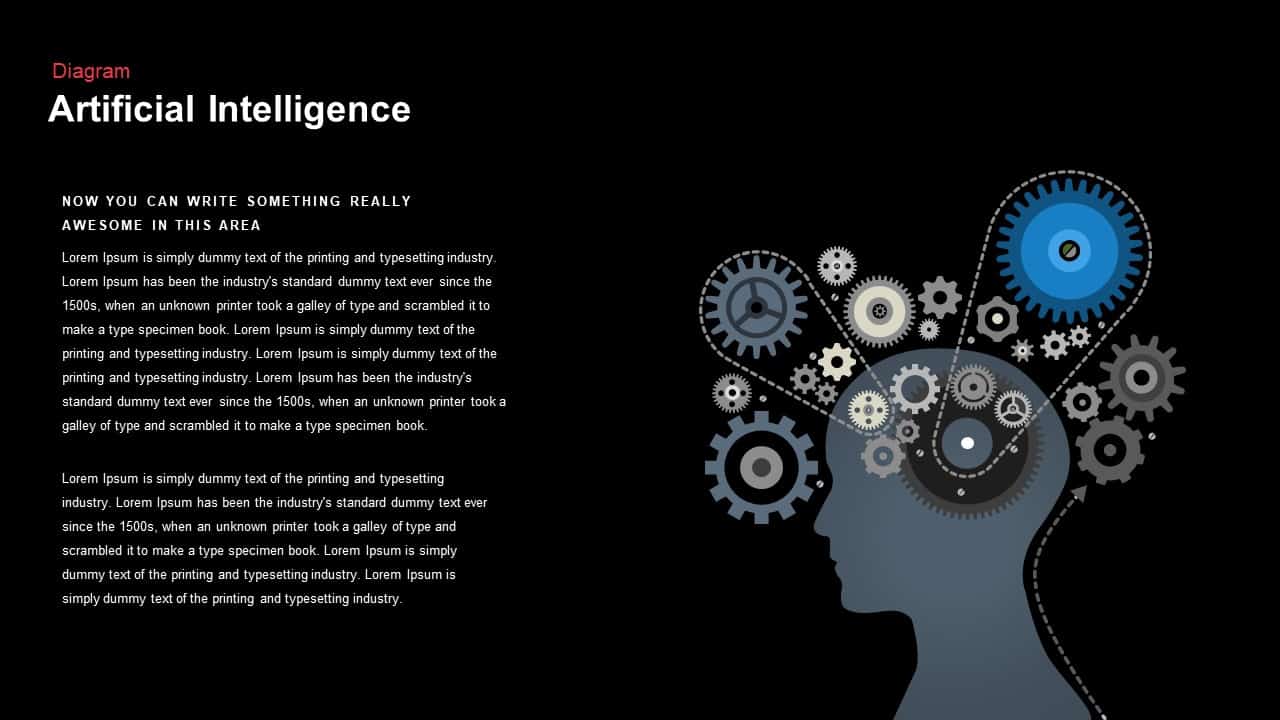
This artificial intelligence slide template for PowerPoint takes a different approach. Instead of leaning on generic tech imagery, it uses a gear network diagram built around a human head silhouette filled with interlocking cogs in shades of blue, gray, and black. It is a visual metaphor that actually works. The mechanical gears represent the interconnected logic, processes, and systems that make AI function, and the diagram makes that idea legible to both technical and non-technical audiences without you having to over-explain it in the speaker notes.
The right-aligned graphic balances cleanly with left-aligned text placeholders on the opposite side, giving you space to label each gear as a specific AI component, whether that is data preprocessing, model training, inference pipelines, or algorithmic logic. Dotted connector paths guide viewer attention through the gear interactions in a way that feels intentional rather than decorative. The smooth gradient canvas in white and cyan keeps the overall aesthetic modern and tech-forward without tipping into the kind of over-designed look that dates quickly.
A Fully Editable AI Slide Template for PowerPoint and Google Slides
Everything in this slide is built on master layouts and uses vector shapes throughout, which means customization is fast and the output stays sharp regardless of where or how you display it. Swap gear icons, adjust cog sizes, or recolor individual elements in a few clicks to bring the slide in line with your brand palette. The vector format holds up perfectly on large-format screens, printed materials, and PDF exports, so you are not going to run into any blurry or pixelated output no matter how big you scale it.
The template works natively in both PowerPoint and Google Slides, so whether your team is collaborating in real time on a shared deck or you are putting together a solo presentation, the formatting stays consistent across both platforms. Optional dark-mode master variants are also included for presentations in low-light environments or immersive webinar settings, which is a small detail that makes a real difference when you are presenting to a room with the lights down.
Want to build a sense of reveal into your presentation? Entrance animations can be applied to individual gears or connector lines so each process stage appears sequentially, which is a great way to walk a non-technical executive audience through a complex AI workflow without overwhelming them all at once. The minimalist typography and generous white space keep things readable and professional throughout, even when the content itself is technically dense.
The adjustable text zones work equally well for describing AI workflows, system architectures, research findings, or proof-of-concept summaries. You are not locked into a single use case or content type.
Who Is It For
Data scientists, machine learning engineers, and AI consultants will get the most immediate use out of this slide when mapping neural network architectures, feature-engineering pipelines, or model lifecycle stages in presentations to both internal teams and external stakeholders. Technology executives, product managers, and academic presenters will also find it useful for illustrating AI strategy roadmaps, research methodologies, or early-stage concept frameworks where clear visual communication matters as much as the content itself.
Other Uses
The gear-based layout is more versatile than it might first appear. Beyond AI-specific content, repurpose this slide to depict operational workflows, manufacturing processes, or mechanical system designs. Relabel the gears to highlight cross-departmental collaborations, process optimization stages, or innovation pipelines across any technical or industrial context where showing how parts connect to a whole is more powerful than listing them out in text.
Login to download this file

Item ID
SB00925


Related Templates

Artificial Intelligence vs. Human Intelligence Presentation Template
Comparison

Artificial Intelligence PowerPoint Template
Pitch Deck
Artificial General Intelligence Overview Template for PowerPoint & Google Slides
AI
AI Technology Infographic PowerPoint Template
Machine Learning
Applications of Artificial Intelligence PowerPoint Template
AI
Artificial Intelligence and Robotics Deck Template for PowerPoint Presentation
Pitch Deck
Free Artificial Intelligence PowerPoint Presentation Template
AI
Free

Artificial Intelligence PowerPoint Theme
AI
Artificial Intelligence Presentation Template
Information Technology
Gear Process Diagram template for PowerPoint & Google Slides
Gear
Gear Diagram template for PowerPoint & Google Slides
Process
Gear Process Phase Diagram template for PowerPoint & Google Slides
Process

4 Step Gear Diagram Template for PowerPoint & Google Slides
Process

Dynamic 4 Gear Process Diagram Template for PowerPoint & Google Slides
Process

Four Stage Gear Diagram PowerPoint Template and Google Slides
Process
Six-Stage Gear Wheel Diagram Template for PowerPoint & Google Slides
Circular
Four-Stage Gear Process Diagram Template for PowerPoint & Google Slides
Process
Sales Process Improvement Gear Diagram Template for PowerPoint & Google Slides
Process
Eight-Stage Gear Diagram Process Template for PowerPoint & Google Slides
Process
Cloud Gear Automation Diagram Template for PowerPoint & Google Slides
Cloud Computing