Comparison Pricing Table Template for PowerPoint & Google Slides
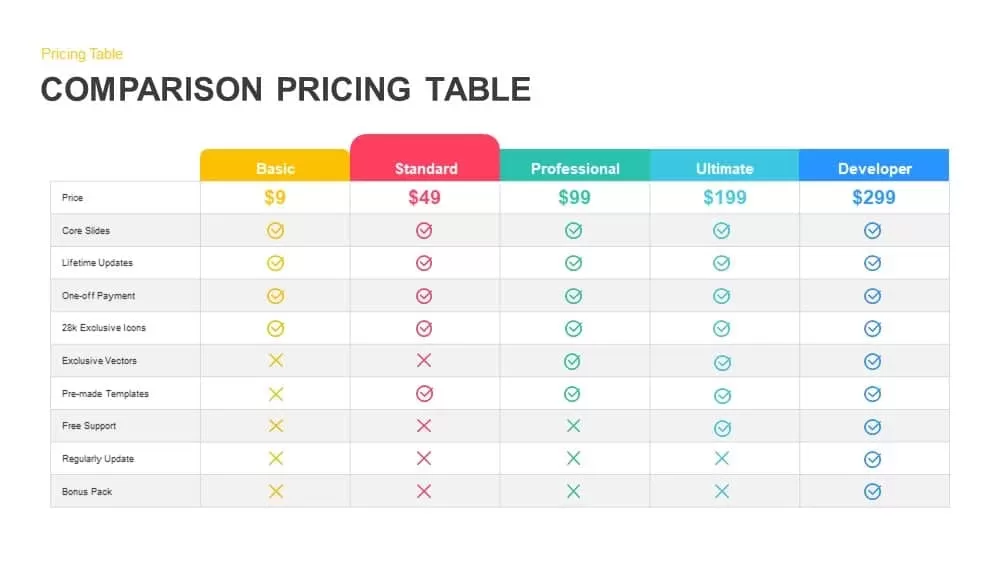
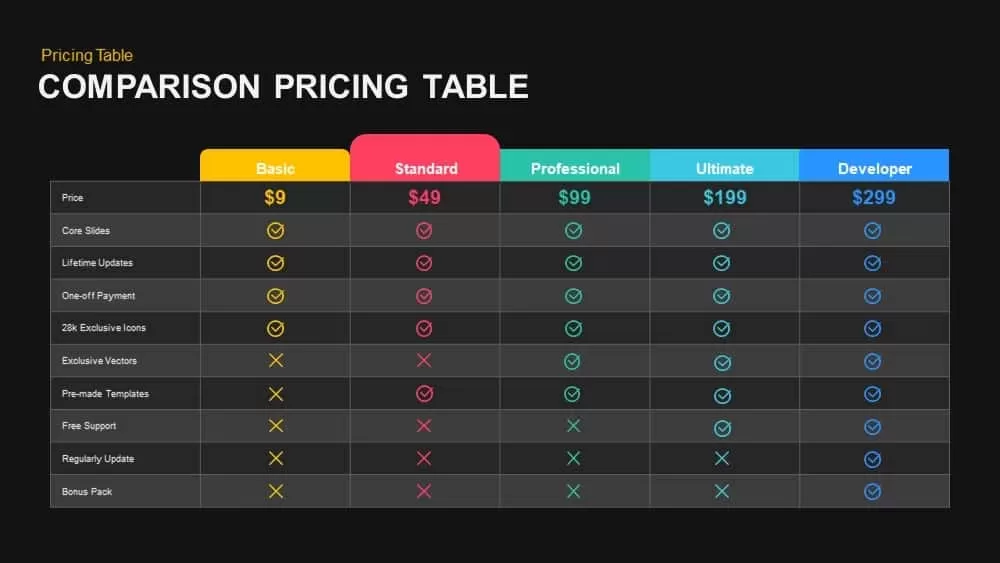
Prospects make faster decisions when pricing is laid out side by side without any ambiguity. This pricing comparison chart for PowerPoint puts five plan tiers on a single slide in a clean, color-coded format that lets your audience compare features, inclusions, and value at a glance rather than hunting through separate slides or documents.
A Pricing Comparison Chart for PowerPoint That Covers Five Tiers
The table presents Basic, Standard, Professional, Ultimate, and Developer plans in parallel columns, each with its own distinct header color: yellow, pink, teal, light blue, and blue. Checkmark and cross icons inside the table do the communicating for you, clearly marking which features each tier includes such as core slides, lifetime updates, and bonus packs. The minimal white background and subtle gray dividers keep all the visual weight on the data itself, not the surrounding design.
Fully Editable Pricing Comparison Table for PowerPoint
Every element in the layout is built on PowerPoint master slides, which means editing is fast and nothing breaks when you make changes. Swap plan names, update prices, recolor columns to match your brand palette, replace icons, adjust row labels, or hide rows you do not need without touching the underlying structure. Vector-based shapes and icons keep everything sharp on widescreen displays and in print, so the slide looks just as clean in a boardroom as it does in a PDF proposal.
Intuitive table placeholders let you import data directly or adjust content without rebuilding the layout from scratch. The template also opens and edits natively in Google Slides, making it easy to share and collaborate with teammates who work outside of PowerPoint.
Who Is This For
Product managers, sales teams, SaaS founders, consultants, and marketing professionals who need to present subscription tiers, service packages, or product bundles in a format that guides prospects toward a decision. E-commerce specialists and agency teams pitching retainer packages will find the column-by-column layout especially useful for highlighting what each level delivers.
Other Ways to Use It
The layout adapts cleanly beyond pricing. Use the editable columns for feature audits, service level agreement comparisons, benefits breakdowns, partner package overviews, membership level comparisons, or training program structures. Duplicate or hide columns to bring it down to a three or four-tier comparison whenever the full five-column version is more than the slide needs.
Login to download this file

Item ID
SB00883


Related Templates

Three-Tier Pricing Table Slide Template
Comparison
Pricing Table PowerPoint Template and Google Slides
Comparison

Pricing Table PowerPoint Template and Google Slide
Business Proposal
4 Column Pricing Table Template for PowerPoint Template
Comparison
Pricing Table PowerPoint Template
Comparison
Pricing Table Presentation Template
Infographics
Product Feature Comparison Table Template
Comparison Chart
Table Presentation PowerPoint Template
Table
4-Column Data Table PowerPoint Template
Table
Colorful Table Presentation Template for PowerPoint & Google Slides
Table
Table Presentation Template PPT & Google Slides Theme
Comparison
5-Point Pros and Cons Comparison Table PowerPoint Template
Comparison Chart
Simple Comparison Table PowerPoint Template
Comparison
Comparison Table for PowerPoint Template
Comparison
2 Options Comparison Table PowerPoint Template
Comparison
Sales Growth Comparison Chart & Table Template
Bar/Column
Pricing Strategy and Tactics Diagram Template for PowerPoint & Google Slides
Circular
CAPM Capital Asset Pricing Model template for PowerPoint & Google Slides
Finance

Business Pricing Plan Template for PowerPoint Template
Finance
4 Pricing Plan PowerPoint Template
Comparison