






User Story Mapping Template for PowerPoint
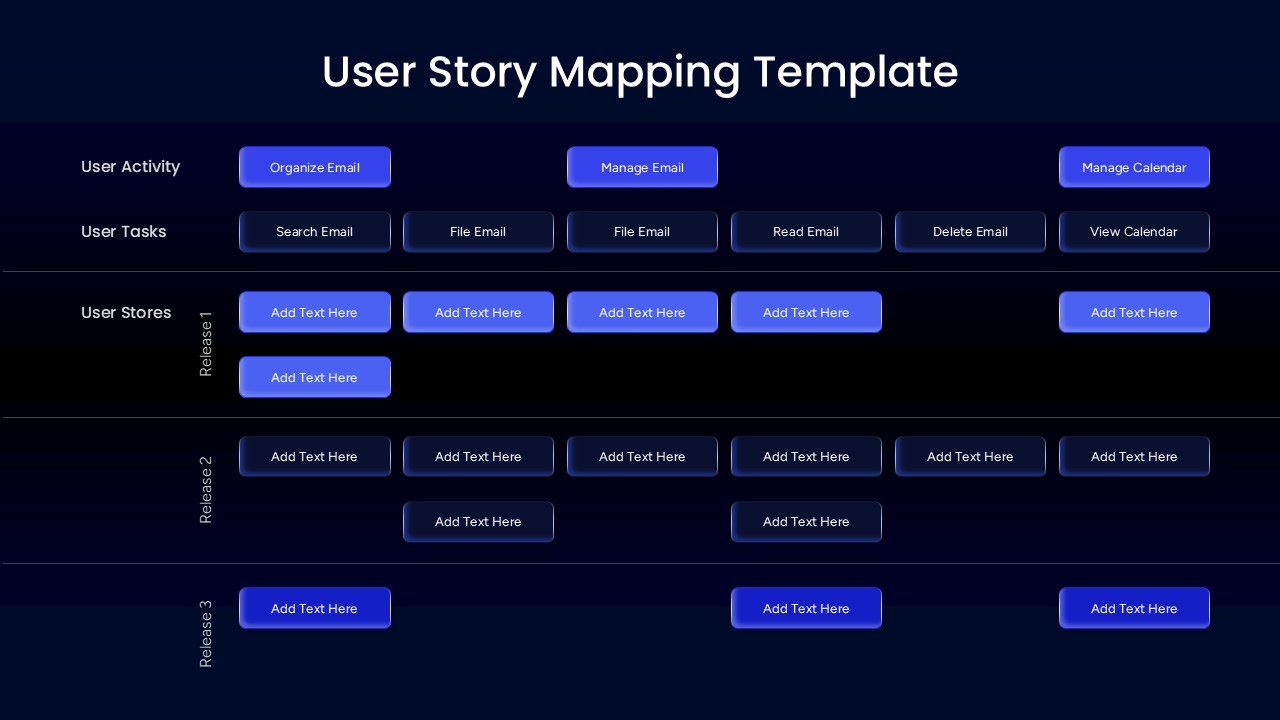
The User Story Mapping Template for PowerPoint is a practical presentation layout for organizing product requirements and visualizing user experiences. User story mapping is a collaborative technique that helps teams understand how people interact with a product by arranging their activities, tasks, and individual stories in a structured sequence. This approach connects user needs with product functionality, making it easier to identify important features, prioritize development work, and plan upcoming releases. Product managers, UX designers, and development teams can use this mapping layout to coordinate requirements and build a clearer product roadmap.
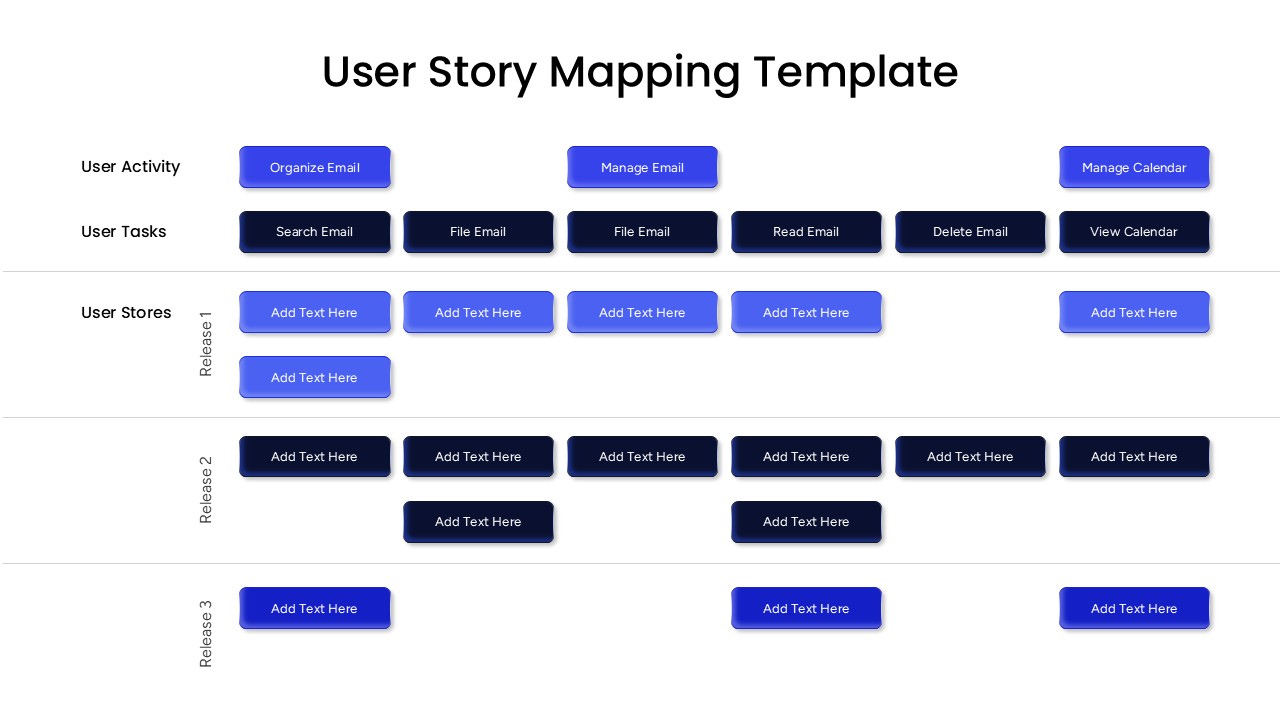
Our User Story Mapping Template for PowerPoint features a horizontal workflow structure divided into three main sections: User Activity, User Tasks, and User Stories. The top section highlights broad activities such as organizing and managing email or viewing a calendar. Below it, the task row breaks these activities into smaller actions, including searching, filing, reading, and deleting emails. The user story section organizes individual requirements into three release stages, allowing teams to visualize how features and functionality can be distributed across different development cycles.
Presenters can customize the editable boxes by replacing the sample labels with their own product activities, user requirements, and development priorities. Likewise, the three release sections can be adapted to represent different project milestones or feature delivery phases. The template includes light and dark background variations with contrasting blue elements, making the content easy to distinguish during presentations. Overall, this User Story Mapping Template is suitable for product planning meetings, agile workshops, and software development discussions. Users can edit and personalize the slides using PowerPoint or Google Slides.
Frequently Asked Questions
What is a user story mapping template used for?
How can teams organize product releases using a user story map?
Login to download this file

Item ID
SB06020Designed By
Naseeba Sithara


Related Templates

Free User Story Template PowerPoint and Google Slides
Infographics
Free
Cinema Story Timeline PowerPoint Template
Timeline
Business Growth Story PowerPoint Template
Timeline
Success Story PowerPoint Presentation Template
Process
Dan Harmon Story Circle Diagram Template
Circular
Story Arc Template
Timeline

Smartphone User Data PowerPoint Template
Charts

User Profile Sections PowerPoint Template
Meet Our Team

User Persona PowerPoint Template
Company Profile
User Persona PowerPoint Presentation Template
Customer Journey
Free User Buyer PowerPoint Persona Template
Recruitment
Free
Mobile User Data Analysis Template
Process
Strategic Roadmap Template for User Growth, Scalability, and Reducing Churn
Business
Mind Mapping PowerPoint Template and Google Slides
Mind Maps
Mind Mapping Template for PowerPoint
Mind Maps
Process Mapping PowerPoint Template
Business Plan
Mind Mapping Template for PowerPoint & Google Slides
Mind Maps
Creative Mind Mapping Template for PowerPoint & Google Slides
Mind Maps
Talent Mapping 9-Box Grid Template for PowerPoint
Employee Performance
Relationship Mapping Template For PowerPoint
Business Strategy