Business Relationship Mapping Template
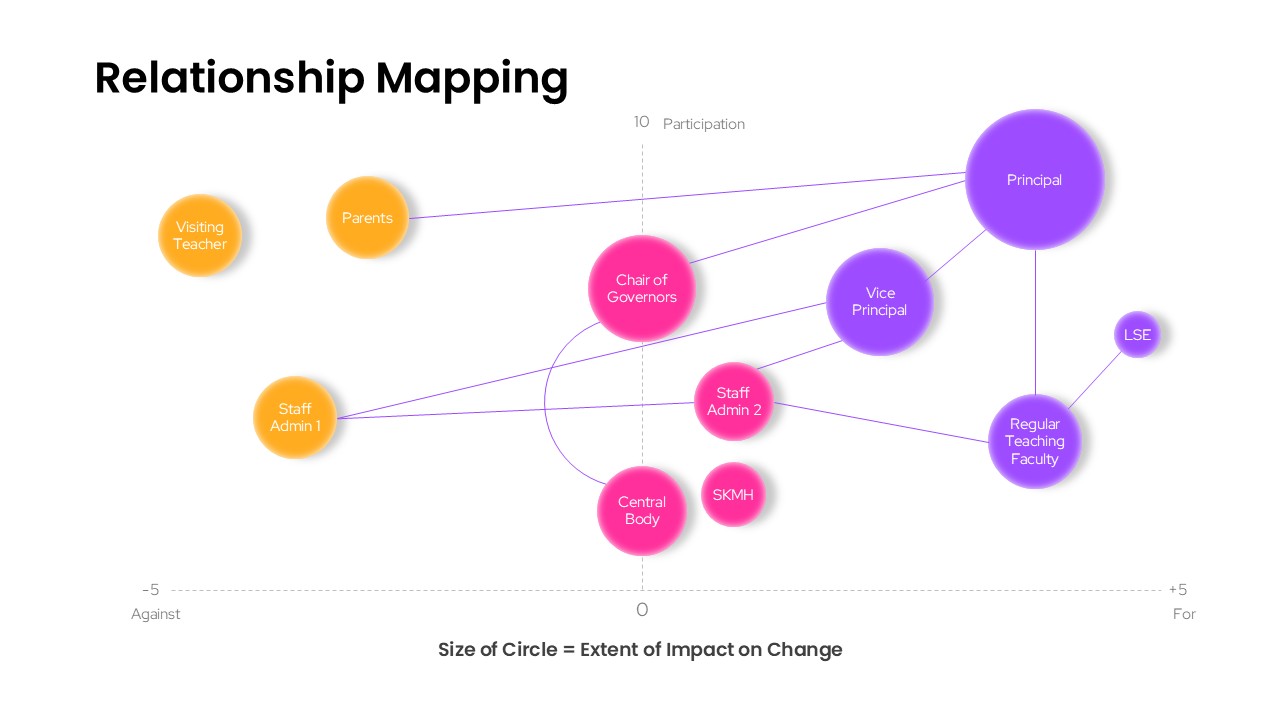
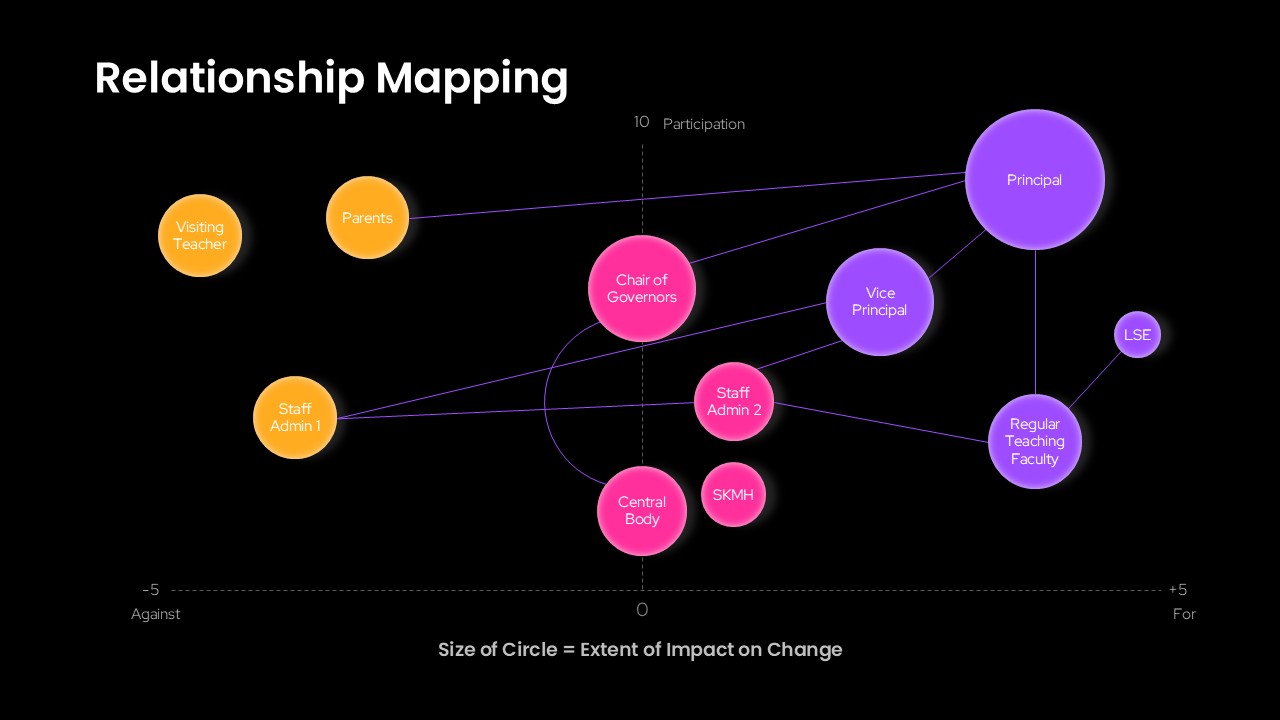
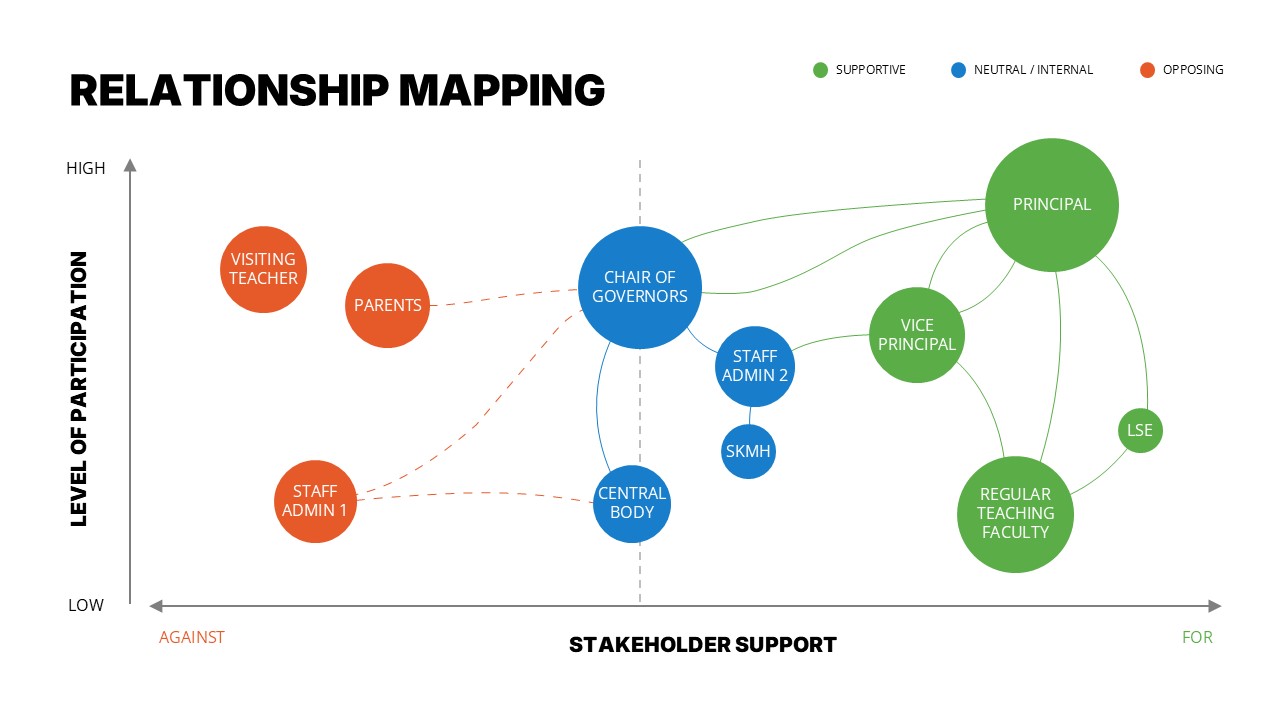
Some of the trickiest conversations in any organization come down to one question: who actually has influence here, and where do they stand? This Relationship Mapping PowerPoint Template was built to answer exactly that, giving HR professionals, school leadership teams, project managers, and consultants a ready-to-use PPT slide for plotting stakeholders by both their position on an issue and their level of involvement.
The PowerPoint slide sits on a two-axis grid, one running from opposition to support, the other tracking participation from low to high. Each stakeholder appears as a circle placed according to where they fall on both scales, and the size of each circle reflects how much sway that person or group actually holds over a given outcome within the PPT layout. A few connecting lines tie related roles together, showing reporting structure or influence pathways between figures like a principal, governing body members, and teaching staff, while distinct colors group stakeholders into categories so the whole presentation stays readable rather than cluttered.
What makes this PowerPoint template practical rather than just decorative is how easily it adapts using PowerPoint’s native editing tools. Every circle can be resized, repositioned, recolored, or relabeled, and the connecting lines can be redrawn to match whatever structure you’re actually working with, whether that’s three stakeholders or fifteen, all within the same PPT slide. This template is designed for both Microsoft PowerPoint & Google Slides, so switching between the two tools won’t cause any formatting headaches in your PowerPoint presentation. Outside of stakeholder mapping, people have repurposed this same bubble-grid PPT format for influence-interest matrices, organizational network diagrams, change readiness assessments, and partnership evaluation slides.
Frequently Asked Questions
Can I add or remove stakeholder bubbles in this template?
What does the size of each circle represent?
Login to download this file

Item ID
SB05963Designed By
Naseeba Sithara


Related Templates

Relationship Mapping Template For PowerPoint
Business Strategy
Relationship Chart PowerPoint Template and Google Slides
Diagrams

Colorful Five-Stage Relationship Diagram Template for PowerPoint & Google Slides
Process
Customer Relationship Management PowerPoint Template
Customer Experience

Customer Relationship Management Template for PowerPoint
Decks
Work Relationship Template for PowerPoint
HR
Business Process Mapping Template for Workflow Analysis and Operational Planning
Process
Mind Mapping PowerPoint Template and Google Slides
Mind Maps
Mind Mapping Template for PowerPoint
Mind Maps
Mind Mapping PPT Template
Mind Maps
Process Mapping PowerPoint Template
Business Plan
Mind Mapping Template for PowerPoint & Google Slides
Mind Maps
Mind Mapping Template for PowerPoint & Google Slides
Mind Maps
Creative Mind Mapping Template for PowerPoint & Google Slides
Mind Maps
Value Stream Mapping Template for PPT & Google Slides
Charts
Free
Buyer Journey Mapping Template for PPT & Google Slides
Process
Talent Mapping 9-Box Grid Template for PowerPoint
Employee Performance
Team Role to Impact Mapping Flowchart for PowerPoint
Process
Audience Message Mapping Strategy Presentation Template
Business Strategy
Email Journey Mapping Template
Customer Journey