Workload Distribution Circular Diagram Template
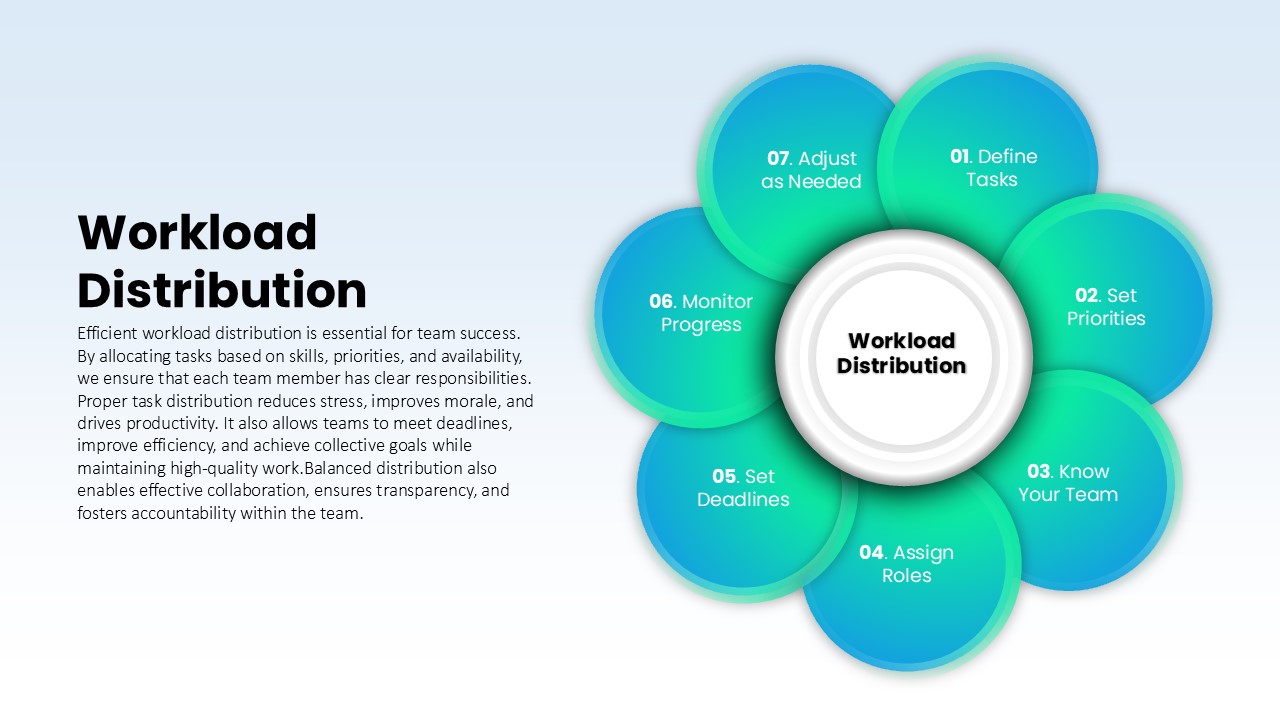
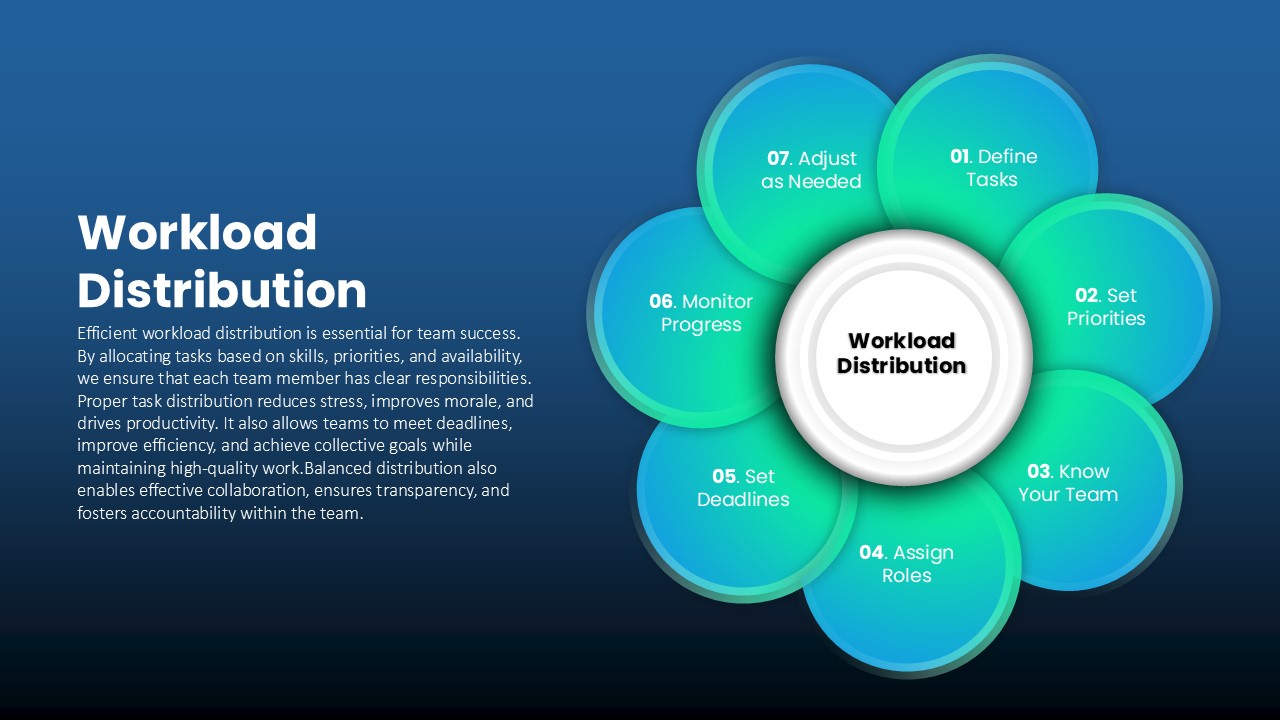
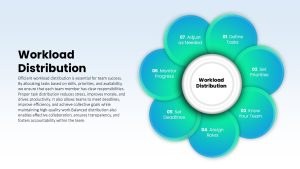
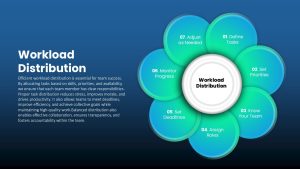
The Workload Distribution Circular Diagram Template helps managers show how work gets planned, shared, and balanced across a team. A central hub labeled Workload Distribution is surrounded by seven numbered, petal-shaped circles in soft gradients, linked by subtle arrows that show how each step leads into the next:
- Define Tasks: List everything the project or team needs to deliver
- Set Priorities: Rank tasks by urgency and business impact
- Know Your Team: Review skills, experience, and current capacity
- Assign Roles: Match each task to the right person
- Set Deadlines: Agree on realistic delivery dates
- Monitor Progress: Track completion and spot bottlenecks early
- Adjust as Needed: Rebalance assignments when priorities or capacity change
The circular layout makes a practical point clear: workload planning is never finished after the first assignment. As projects evolve, people take leave, or new requests arrive, managers loop back and redistribute. Overlapping petals, soft shadows, and clean typography keep the diagram modern and easy to read on screens and projectors alike.
Project managers can use this slide during kickoff meetings to explain how tasks will be allocated, while team leads may bring it into sprint planning or weekly check-ins when workloads feel uneven. HR professionals can use it in management training to teach fair task delegation, and operations managers can present it when restructuring team responsibilities. It works well with other [project management templates] such as Gantt charts or RACI matrices.
The Workload Distribution Circular Diagram Template is fully editable in PowerPoint and Google Slides. Change gradient colors to match your brand, rename steps, add icons, or adjust the number of petals. The same cycle also suits resource allocation, skills assessment, milestone mapping, and training programs. Download the Workload Distribution Circular Diagram Template and help your team share the work more evenly.


Item ID
SB04913


Related Templates

Employee Personality Distribution Chart Template for PowerPoint & Google Slides
Bar/Column
Distribution Channel PowerPoint Template
Business Models

8 Circular Ring Diagram template for PowerPoint & Google Slides
Infographics
4 Step Creative Circular Diagram PowerPoint Template and Google Slides
Infographics
8 Steps Circular Process Diagram PowerPoint Template
Process

Four-Stage Business Diagram Template Slide
Process

Light Bulb Idea Circular Diagram Template for PowerPoint & Google Slides
Infographics
Four Section Circular Text Boxes Diagram Template for PowerPoint & Google Slides
Circular

Six Staged Circular Process Diagram Powerpoint template
Process
Six Stage Circular Diagram with Icons Template for PowerPoint & Google Slides
Circular
9-Step Circular Arrows Process Diagram Template for PowerPoint & Google Slides
Process
6 Stage Circular Diagram PowerPoint Template
Circular
Five-Stage Circular Flow Diagram Template for PowerPoint & Google Slides
Circular
6 Stage Clockwise Circular Diagram Template
Circular
Circular CRM Diagram Template
Circular
8 Step Circular Process Flow Diagram Template for PowerPoint & Google Slides
Process

5 Step Circular Puzzle Diagram Template
Circular
Multi-Color Enneagram Circular Diagram Template for PowerPoint & Google Slides
Circular
8 Step Circular Diagram PowerPoint Template
Circular
Circular Diagram for Competitive Intelligence Template
Circular