Team & Expertise Profile Layout Template for PowerPoint & Google Slides

Team & Expertise Presentation Slide Template For PowerPoint & Google Slides
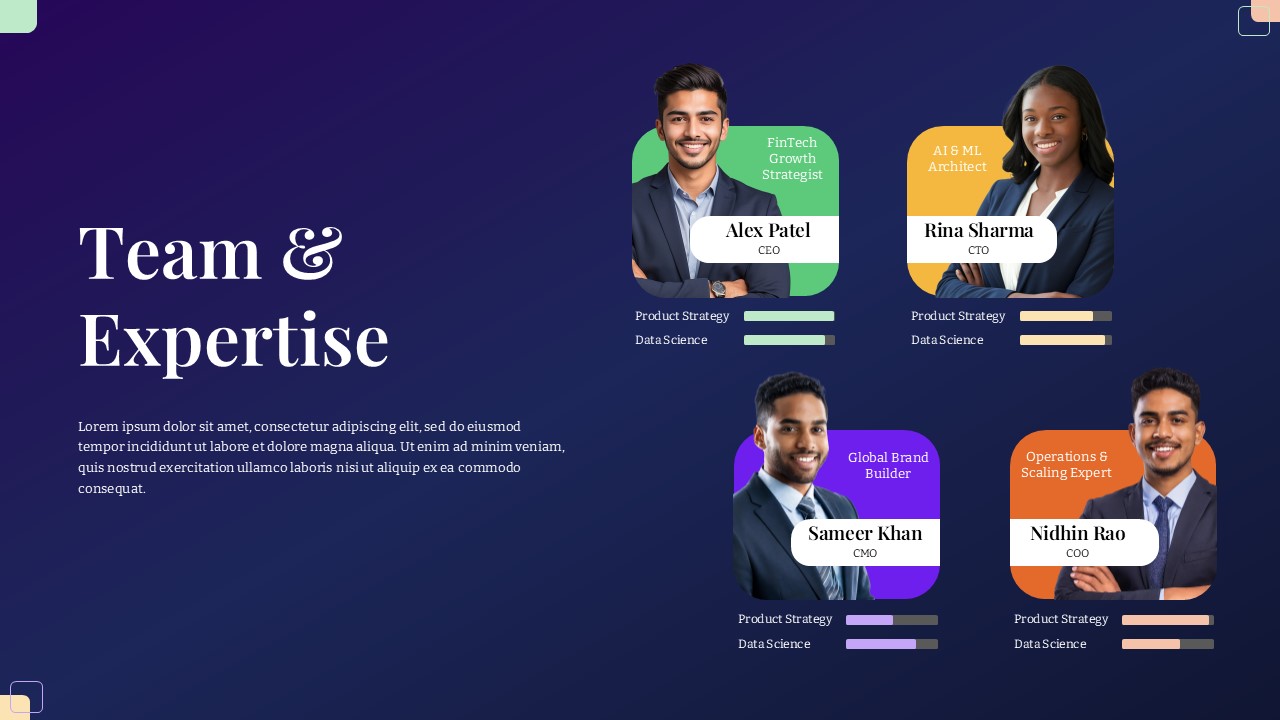
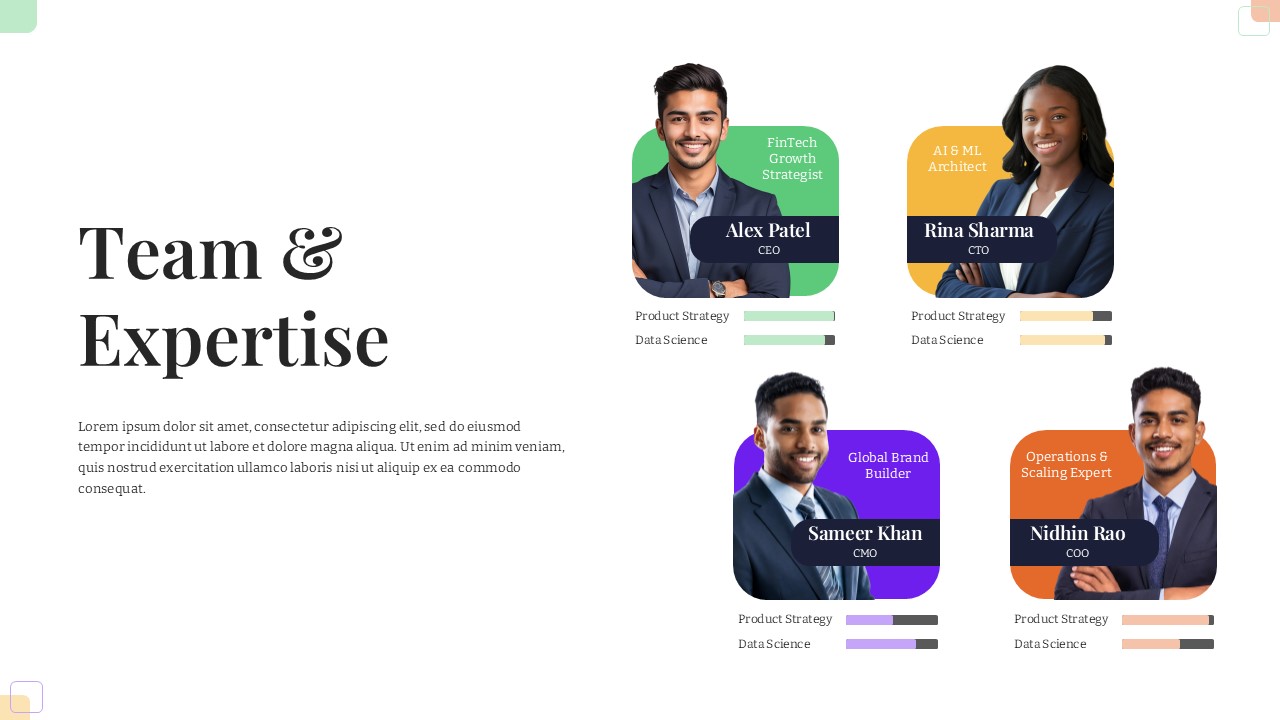
This Team & Expertise Presentation Slide Template for PowerPoint and Google Slides helps you introduce your company leaders, founders, or project managers. It gives you a clean way to show team members, their job titles, their specializations, and their skill levels on a single slide without having to align everything manually.
Slide Layout & Elements Breakdown
- Left Overview Section: Features a large “Team & Expertise” heading and an editable text block where you can add a short introduction about your team, company culture, or overall experience.
- 2×2 Team Profile Grid: Four distinct profile cards arranged on the right side of the slide:
- Alex Patel (CEO): Green card with a “FinTech Growth Strategist” label and editable photo cutout.
- Rina Sharma (CTO): Yellow card with an “AI & ML Architect” label and editable photo cutout.
- Sameer Khan (CMO): Purple card with a “Global Brand Builder” label and editable photo cutout.
- Nidhin Rao (COO): Orange card with an “Operations & Scaling Expert” label and editable photo cutout.
- Skill Progress Bars: Two horizontal indicator bars under each profile card to show ratings or competency levels for areas like Product Strategy and Data Science.
- Name & Role Badges: White rounded tags placed over the lower part of each photo to keep names and titles easy to read.
- Dark Gradient Background: A deep blue-to-purple gradient with subtle corner accents that helps the colored cards stand out clearly.
Where to Use This Slide
- Pitch Decks: Introduce your founding team and key hires to investors.
- Client Proposals: Show prospective clients the specific team members who will handle their project.
- Company Profile Presentations: Add a leadership slide to your general corporate deck or sales presentation.
- Internal All-Hands Meetings: Announce new leadership appointments or introduce department heads.
Template Features
- Fully Editable: Works in Microsoft PowerPoint and Google Slides. You can swap out the pictures, update names and titles, adjust the skill bar lengths, and change the colors.
- Clear Layout: The 2×2 card setup keeps photos, text, and skill ratings neatly organized so the slide never looks cluttered.
Check out our collection of “our team” presentation slide templates.
Login to download this file

Item ID
SB05544Designed By
Niranjana


Related Templates

Domain Expertise PowerPoint Template
Circular
Modern Team Profile Template for PowerPoint & Google Slides
Our Team
5 Bubble Service Layout Diagram Template for PowerPoint & Google Slides
Process
Multi-layout Circle Spoke Diagram Template for PowerPoint & Google Slides
Circular

Flat Four-Box Business Layout Diagram Template for PowerPoint & Google Slides
Process
Modern 5-Stage Folder Agenda Layout Template for PowerPoint & Google Slides
Agenda
Yearly Calendar Layout Template for PowerPoint & Google Slides
Graphics
Free
Staggered Five-Hexagon Agenda Layout Template for PowerPoint & Google Slides
Agenda
Six-Step Hexagon Infographic Layout Template for PowerPoint & Google Slides
Infographics
Project Scope Hub & Spoke Layout Template for PowerPoint & Google Slides
Process
Modern Mosaic Photo Grid Layout Template for PowerPoint & Google Slides
Graphics
Elegant Stacked Photo Collage Layout Template for PowerPoint
Graphics
Dessert Photo Collage Grid Layout Template for PowerPoint & Google Slides
Graphics
Modern Cosmetics Photo Collage Layout Template for PowerPoint & Google Slides
Graphics
Versatile Table of Words Layout Template for PowerPoint & Google Slides
Table
Multi-Color Milestone Timeline Layout Template for PowerPoint & Google Slides
Timeline
Versatile 6 Options Infographic Layout Template for PowerPoint & Google Slides
Process
Discussion Points Layout Template for PowerPoint & Google Slides
Agenda
Training Plan Table PowerPoint Template
Employee Performance
Four Column Table Presentation Template
Table