Reverse Brainstorming PowerPoint Template
Turn conventional brainstorming into a structured problem-solving exercise with this Reverse Brainstorming PowerPoint Template. Instead of immediately searching for ways to solve an issue, reverse brainstorming encourages participants to explore how the problem could become worse. This approach helps teams expose overlooked obstacles, understand potential causes, and discover new opportunities for improvement. Business teams can use this presentation template during strategy sessions, while project managers can apply it to identify risks before they affect project outcomes. Customer service teams can also use the framework to examine frustrating experiences and determine how processes can be improved.
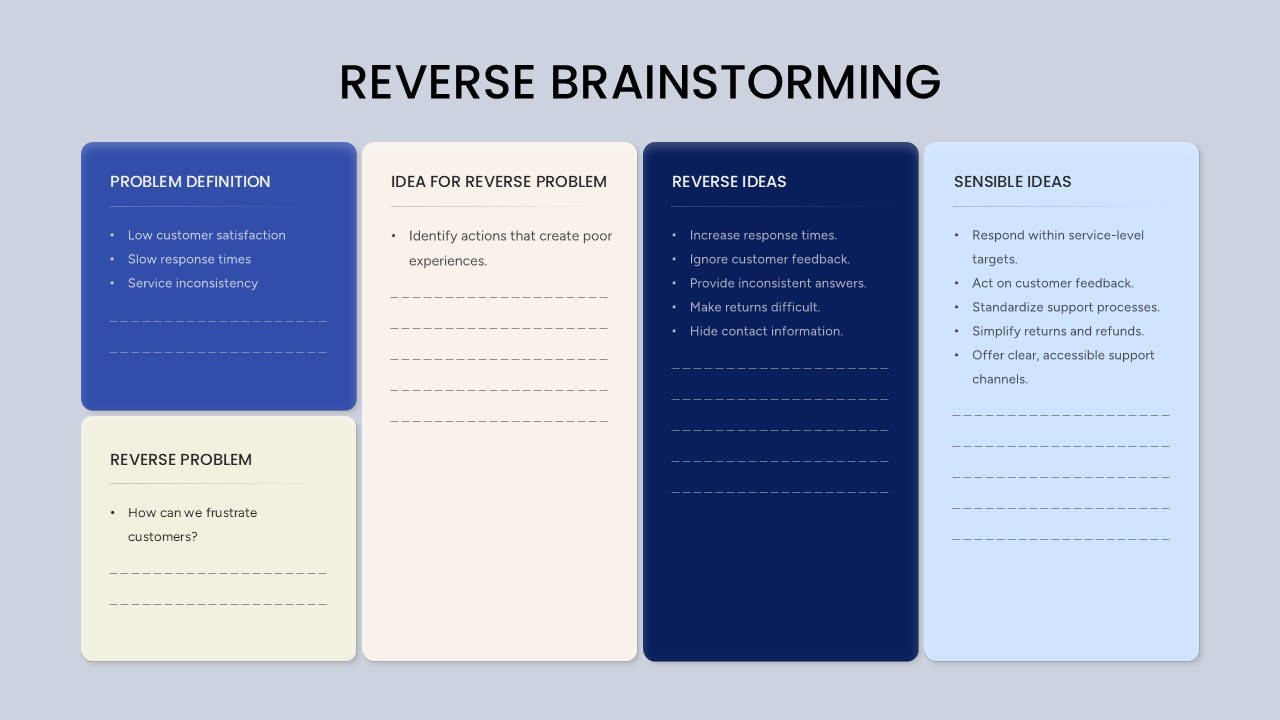
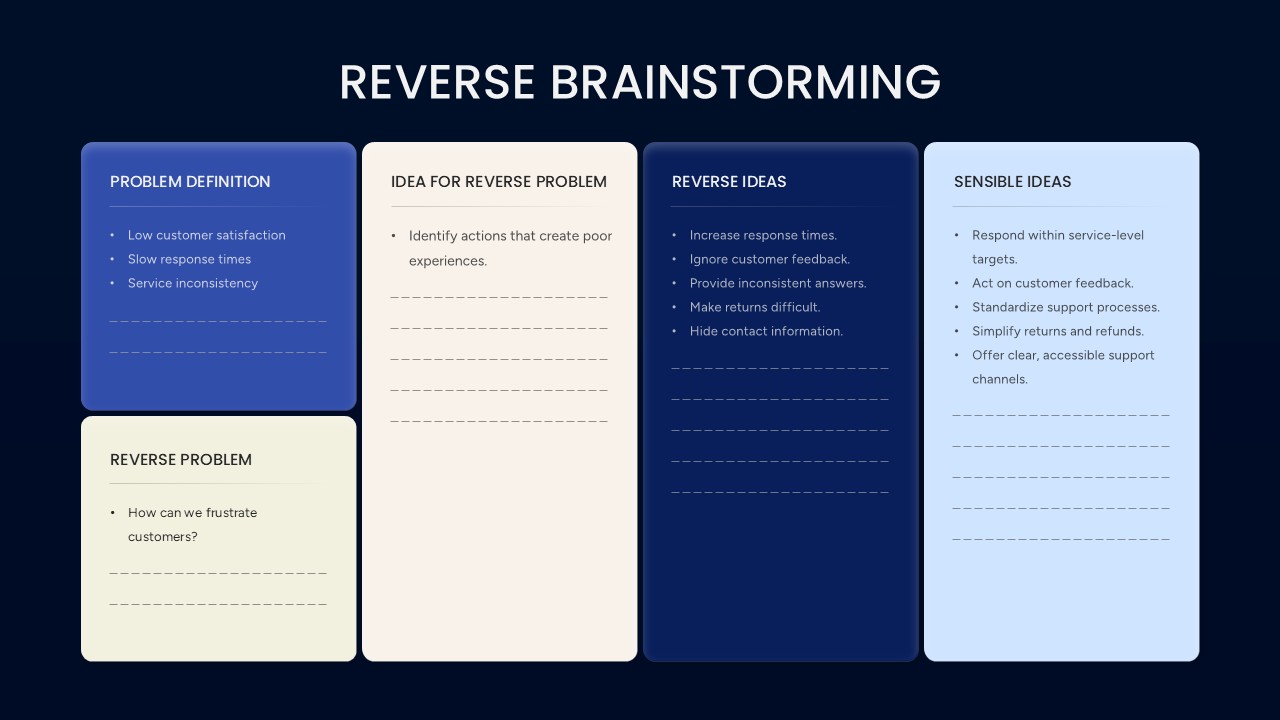
The Reverse Brainstorming PowerPoint Template uses a five-part visual framework to organize the entire thought process from problem identification to practical action. The upper-left Problem Definition panel provides space to describe the main challenge and establish the situation being examined. The Reverse Problem section below encourages participants to reframe the challenge with a question about making the situation worse. The large central Idea for Reverse Problem panel provides room to establish the direction of the reverse exercise. The dark blue Reverse Ideas panel can then be used to list behaviors, decisions, or actions that could intensify the original problem. Finally, the Sensible Ideas section helps transform those negative observations into constructive recommendations and improvement measures.
This editable brainstorming presentation template is designed for workshops, team meetings, consulting sessions, strategic planning, and business problem-solving discussions. Replace the sample customer-service content with your own business challenge, process issue, project risk, or operational scenario. The rounded rectangular panels, clear section headings, subtle divider lines, and contrasting blue backgrounds make it easy to distinguish each stage of the reverse brainstorming process. You can also modify the text, headings, and examples to align the slide with your presentation topic and organizational requirements.
Use the Reverse Brainstorming PowerPoint Template to guide teams from identifying a challenge to developing meaningful solutions. By looking at a problem from an unconventional direction, presenters can encourage broader participation, uncover assumptions, and create a more thoughtful path toward improvement. Download this editable PPT template to present reverse brainstorming exercises clearly in business presentations, strategy workshops, and collaborative problem-solving sessions.
Frequently Asked Questions
What is reverse brainstorming and how does this template support it?
Can I use this template in both PowerPoint and Google Slides?


Item ID
SB06173Designed By
Naseeba Sithara


Related Templates

Reverse Timeline Template for PowerPoint Presentation
Timeline
List Of Ideas For Effective Brainstorming Process PowerPoint Template
Process
Brainstorming Strategy Slide template for PowerPoint & Google Slides
Business Strategy
Starbursting Brainstorming Slide Template
Business Strategy
Brainstorming Slides Template
Process
Brainstorming Slide Template
Business Strategy
Brainstorming Slides
Process