











Project Retrospectives PowerPoint Template
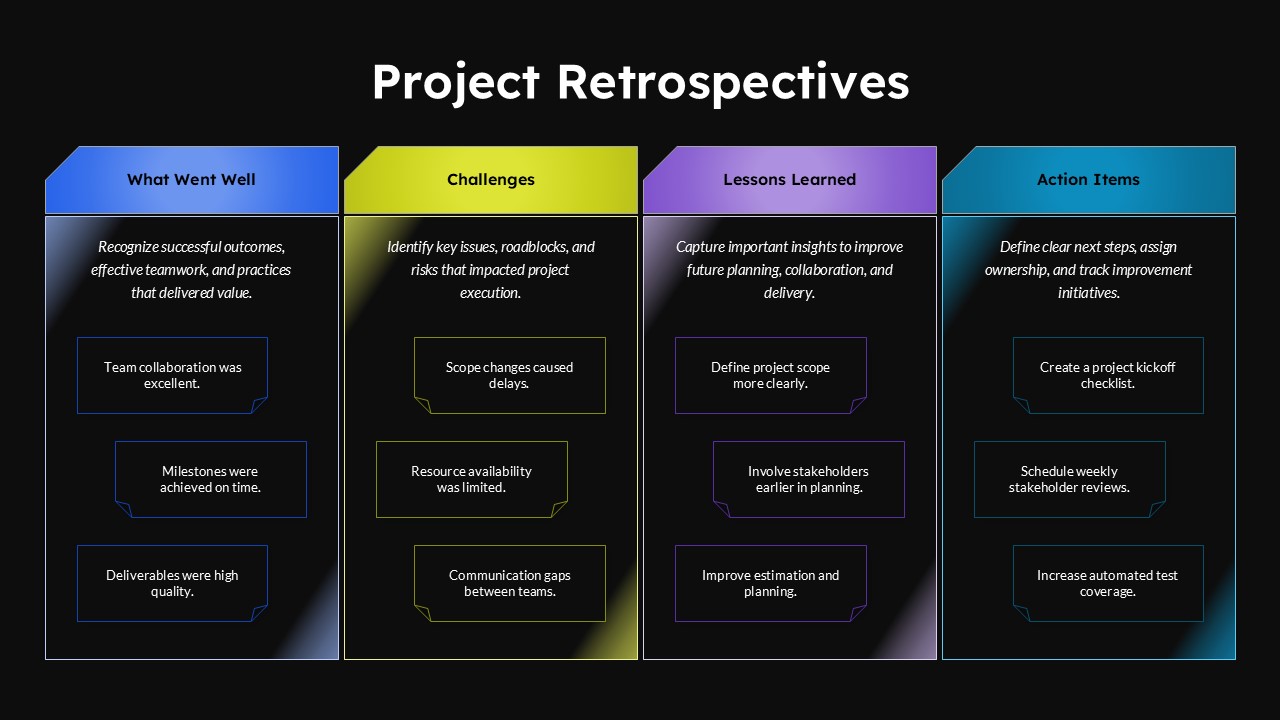
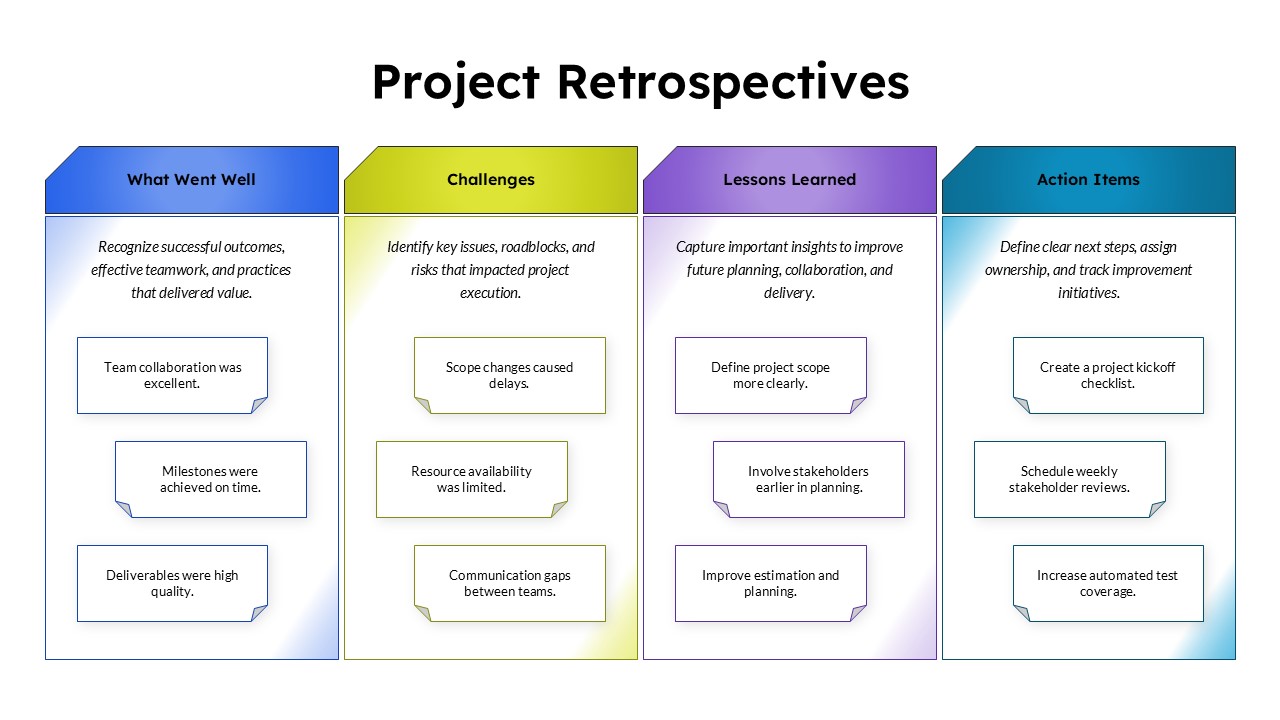
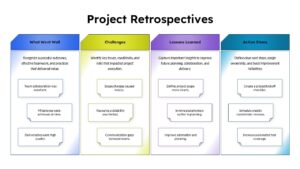
The Project Retrospectives PowerPoint Template is a four-column review framework for evaluating project performance, identifying challenges, and turning team experiences into actionable improvements. It helps teams reflect on successful outcomes, recognize obstacles, capture lessons learned, and plan practical next steps for future projects.
The retrospective diagram organizes the discussion into four sections, each with a dedicated heading, explanatory text, and three example statements:
- What Went Well: Highlight successful collaboration, milestones achieved on time, and high-quality deliverables.
- Challenges: Identify scope changes, resource limitations, and communication gaps that affected project execution.
- Lessons Learned: Document insights about project scope, stakeholder involvement, and planning estimates.
- Action Items: Outline follow-up activities such as preparing a project kickoff checklist, scheduling stakeholder reviews, and improving automated test coverage.
This type of project review diagram is particularly useful for team retrospectives, sprint reviews, project closure meetings, and continuous improvement workshops. Its four-part structure helps participants distinguish positive outcomes from problems while connecting lessons learned to specific improvement measures.
For example, a project manager can use the template after completing a product launch to review team performance, discuss delivery delays, identify planning improvements, and assign follow-up actions for the next release.
The Project Retrospectives slide template features a clean four-column layout with distinct blue, lime, purple, and teal sections. Editable text boxes and outlined note cards make it easy to organize discussion points, while the dark and light background variations offer flexibility for different presentation styles. You can customize the headings, colors, text, and shapes in PowerPoint to suit your project review process.
Frequently Asked Questions
What is a project retrospective?
How do you use a Project Retrospectives PowerPoint Template?
Login to download this file

Item ID
SB06258Designed By
Niranjana


Related Templates

Project Management Dashboard PowerPoint Template and Google Slides Template
Project

Prince2 Project Organization Chart PowerPoint Template
Org Chart

Free Project Dashboard PowerPoint Template
Charts
Free
Project Deliverables Timeline Template for PowerPoint & Google Slides
Timeline

SQERT Project Management PowerPoint Template
Process
Project Execution Plan PowerPoint Template
Project Status
Project Status Report PowerPoint Template
Project Status
Colorful Project Status Dashboard Template for PowerPoint & Google Slides
Project Status
Project Status PowerPoint Template
Project Status
Project Management Funnel Template PowerPoint
Project
Project Requirement PowerPoint Template
Project

Project Proposal Deck Template for PowerPoint & Google Slides
Pitch Deck
Project Tracker Timeline Gantt Chart Template for PowerPoint & Google Slides
Project Status
Key Actions for Effective Project Execution PowerPoint Template
Timeline
Creative Project Roadmap Template for PowerPoint
Business
Project Gantt Chart PowerPoint Template
Gantt Chart
Project Status PowerPoint Template
Table
Creative Project Timeline PowerPoint Template
Timeline
Cards Checklist PowerPoint Template for Project Tracking
Project Management
Project Post Mortem Template for PowerPoint
Process