Definition of Done Template for PowerPoint & Google Slides
Definition of Done Template for Agile Teams & Scrum Projects
Establish a shared understanding of what “done” means in your Agile process with this professionally designed Definition of Done Template. Created for Scrum teams, product owners, QA specialists, and project managers, this project management infographic helps communicate the standards that every user story, feature, or deliverable must satisfy before it can be considered complete.
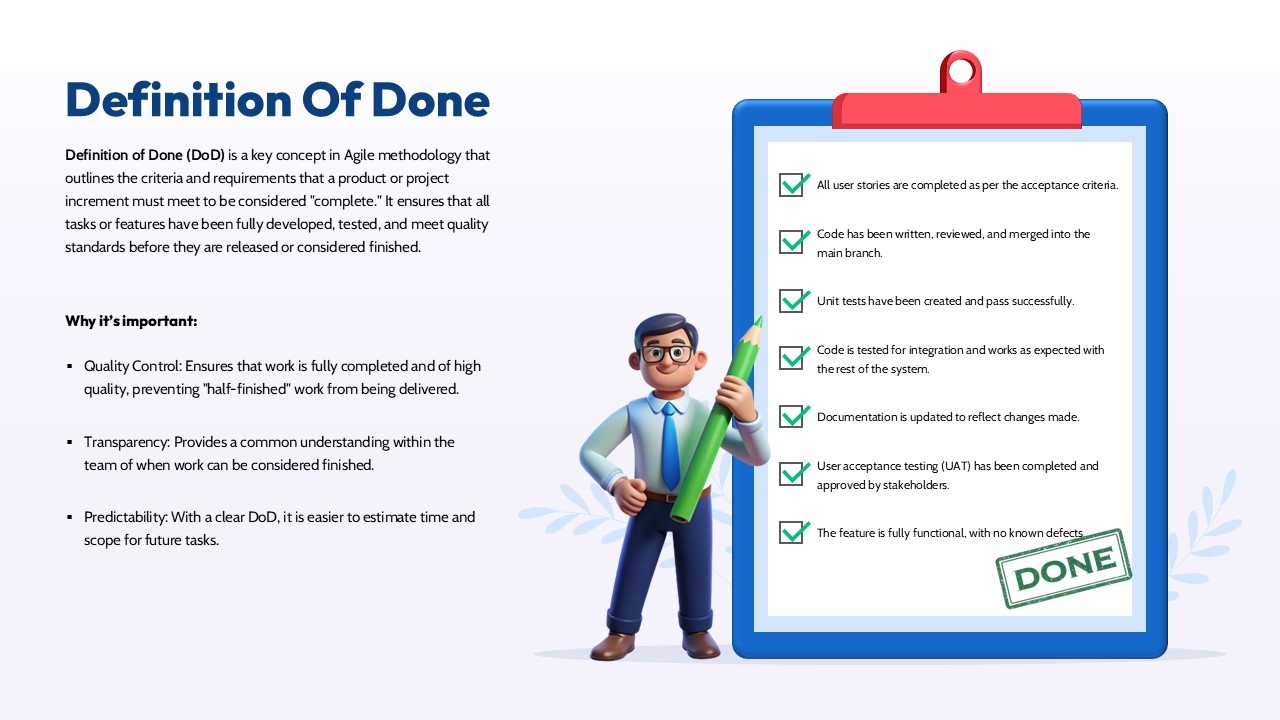
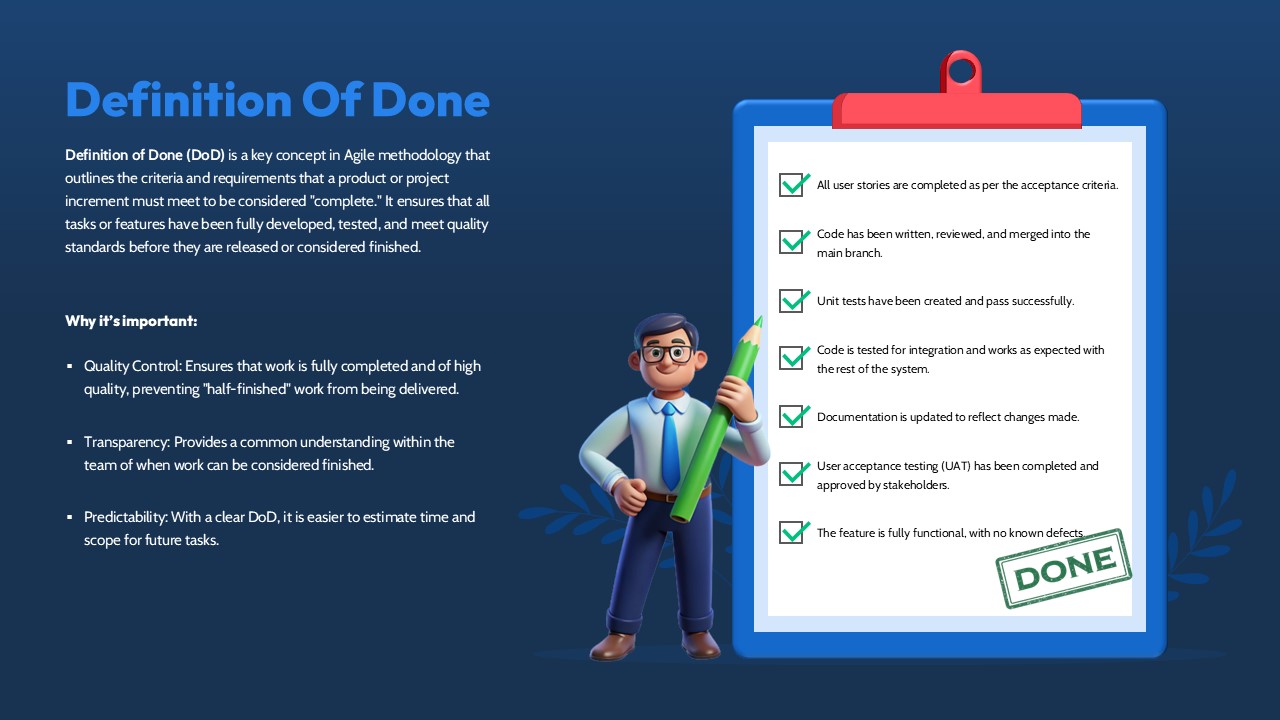
The layout combines an informative content section with a visually engaging checklist illustration, making it easy to explain completion requirements during sprint reviews, release planning sessions, retrospectives, and stakeholder meetings. The checklist format is ideal for presenting acceptance criteria, testing requirements, documentation updates, code review status, and deployment readiness in a structured and easy-to-follow manner.
The modern design features a clean clipboard graphic, custom check marks, and a friendly character illustration that adds visual appeal without distracting from the message. Every element is fully editable, allowing you to customize colors, icons, text, and checklist items to align with your team’s workflow and branding requirements.
Key Components of a Definition of Done Checklist
- Testing and Validation Requirements
Ensure all functional, integration, or user acceptance testing activities have been completed successfully before closing a task. - Code Review and Approval Standards
Confirm that peer reviews and required approvals have been obtained to maintain development quality and coding standards. - Documentation Completion
Verify that all relevant documentation, release notes, and supporting materials are updated and available. - Deployment Readiness Checks
Validate that the feature or deliverable is ready for deployment and meets all release requirements.
Why Use a Definition of Done Template?
- Ensures Quality Standards – Confirms that all tasks, features, and user stories meet predefined quality requirements before completion.
- Improves Team Alignment – Creates a shared understanding among developers, testers, product owners, and stakeholders.
- Enhances Transparency – Clearly communicates what criteria must be satisfied before work can be considered finished.
- Reduces Rework – Helps identify missing requirements early and prevents incomplete deliverables from moving forward.
- Supports Predictable Delivery – Establishes consistent completion standards that improve sprint planning and release management.
- Facilitates Stakeholder Confidence – Demonstrates that features have been properly reviewed, tested, and approved.
Login to download this file

Item ID
SB05358