Gear Process Diagram for PowerPoint & Google Slides
Gear Process Diagram for PowerPoint & Google Slides
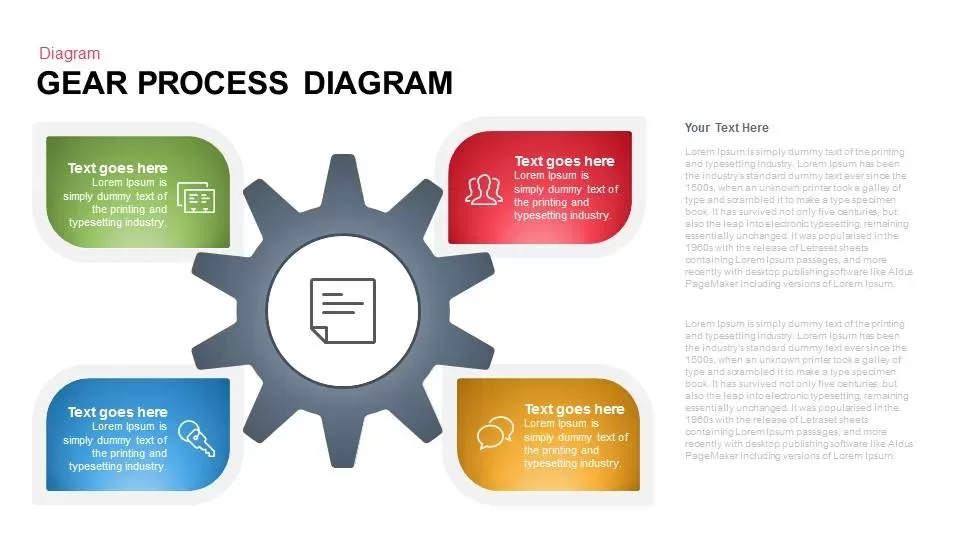
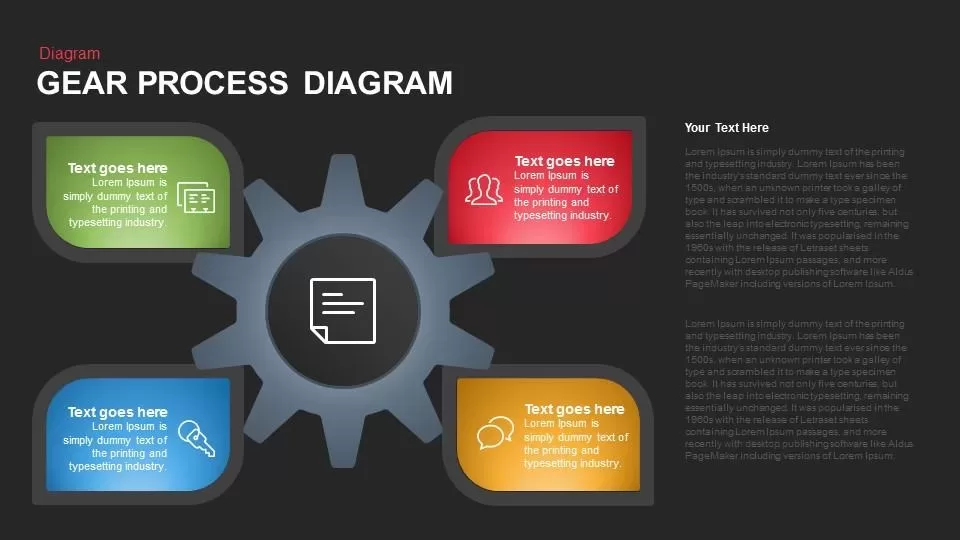
Operational workflows, interdepartmental synergies, and technical execution pipelines often fall flat when presented as disconnected text. Built around a bold, central multi-tooth gear framed by four distinct quadrant cards and a dedicated narrative panel, this Gear Process Diagram gives project managers, systems engineers, and operations directors a structured tool to explain mechanical synchronization and four-phase business workflows.
Core Conceptual Mechanics
This slide pairs mechanical symbolism with practical descriptive areas to highlight interconnected dependencies:
- Central Cog Hub: The dark slate-gray gear wheel anchors the slide, serving as an intuitive symbol for continuous motion, operational alignment, and driving engine mechanics.
- Central Document Node: A clean white circular core features a document list icon, ideal for highlighting central governance, compliance rules, or overarching project briefs.
- Four-Quadrant Floating Badges: Distinct curved containers wrap around each corner of the cog in olive green, red, vibrant blue, and warm ochre, creating clear separation for four strategic pillars.
- Thematic Micro-Icons: Embedded line art across each quadrant node highlights data dashboards, team collaboration, system keys or access controls, and strategic ideation.
- Dedicated Executive Narrative Column: An expansive right-hand text column accommodates long-form operational context, executive summaries, or implementation methodologies without crowding the core diagram.
Strategic Real-World Uses
- Cross-Functional Workflow Alignment: Demonstrate how operations, engineering, customer success, and product management interface to maintain business momentum.
- Operational Bottleneck Audits: Break down four key stages of a process to highlight friction points and optimization fixes for leadership teams.
- Continuous Integration & Delivery (CI/CD): Map the continuous loop of software planning, development, deployment, and monitoring.
- Change Management Rollouts: Guide employees through structural changes by clearly identifying the core mandate and the four supporting functional shifts.
Design Specifications & Customization
- Asymmetric Layout Balance: Places the visual diagram on the left two-thirds while reserving the right third for detailed contextual descriptions.
- Vibrant Functional Palette: The contrast between muted slate-gray and vivid quadrant accents naturally directs visual attention across each phase.
- Clean Modern Canvas: Ample white negative space keeps text readable across virtual calls, webinars, and high-definition boardroom monitors.
- 100% Vector Flexibility: Fully editable in Microsoft PowerPoint and Google Slides, allowing presenters to easily recolor nodes, swap out vector icons, adjust copy, and adapt the slide to any corporate style guide.
Check out more process flow templates like this.
Login to download this file

Item ID
SB00759


Related Templates

Gear Process Diagram template for PowerPoint & Google Slides
Gear
Gear Process Phase Diagram template for PowerPoint & Google Slides
Process

Dynamic 4 Gear Process Diagram Template for PowerPoint & Google Slides
Process
Four-Stage Gear Process Diagram Template for PowerPoint & Google Slides
Process
5-Stage Gear Process Flow Diagram Template for PowerPoint & Google Slides
Process
Sales Process Improvement Gear Diagram Template for PowerPoint & Google Slides
Process
Eight-Stage Gear Diagram Process Template for PowerPoint & Google Slides
Process
Gear Process Diagram Template for PowerPoint & Google Slides
Process
3D Gear Process Diagram PowerPoint Template
Process

Gear Process Diagram PowerPoint Template
Process
Gear Process Diagram PowerPoint Template
Process
Process Gear Shapes Template for PowerPoint & Google Slides
Infographics
Dynamic Four-Step Gear Process Template for PowerPoint & Google Slides
Process
Gear Diagram template for PowerPoint & Google Slides
Process

4 Step Gear Diagram Template for PowerPoint & Google Slides
Process

Four Stage Gear Diagram PowerPoint Template and Google Slides
Process
Artificial Intelligence Gear Diagram Template for PowerPoint & Google Slides
Process
Six-Stage Gear Wheel Diagram Template for PowerPoint & Google Slides
Circular
Cloud Gear Automation Diagram Template for PowerPoint & Google Slides
Cloud Computing
4 Section Gear Diagram PowerPoint Template and Google Slide
Circular