



















































Triangular Template for PowerPoint & Google Slides
Triangular Infographics Presentation Slide Template For PowerPoint & Google Slides
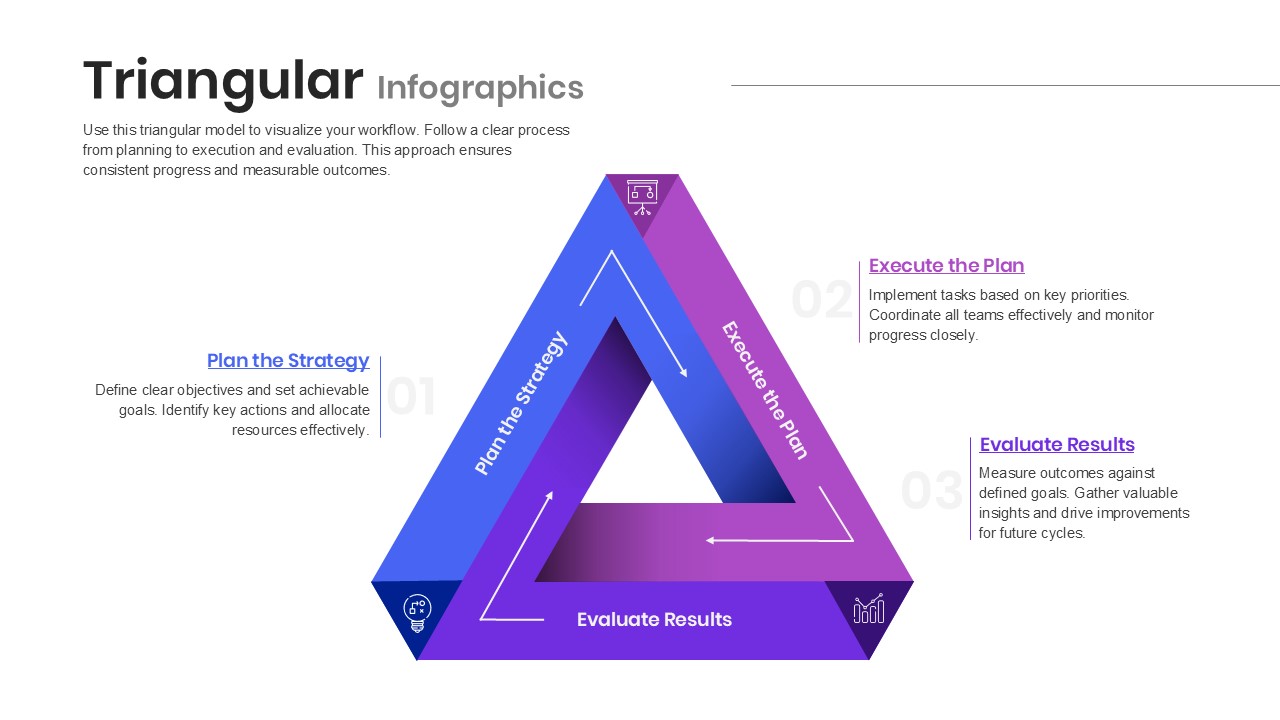
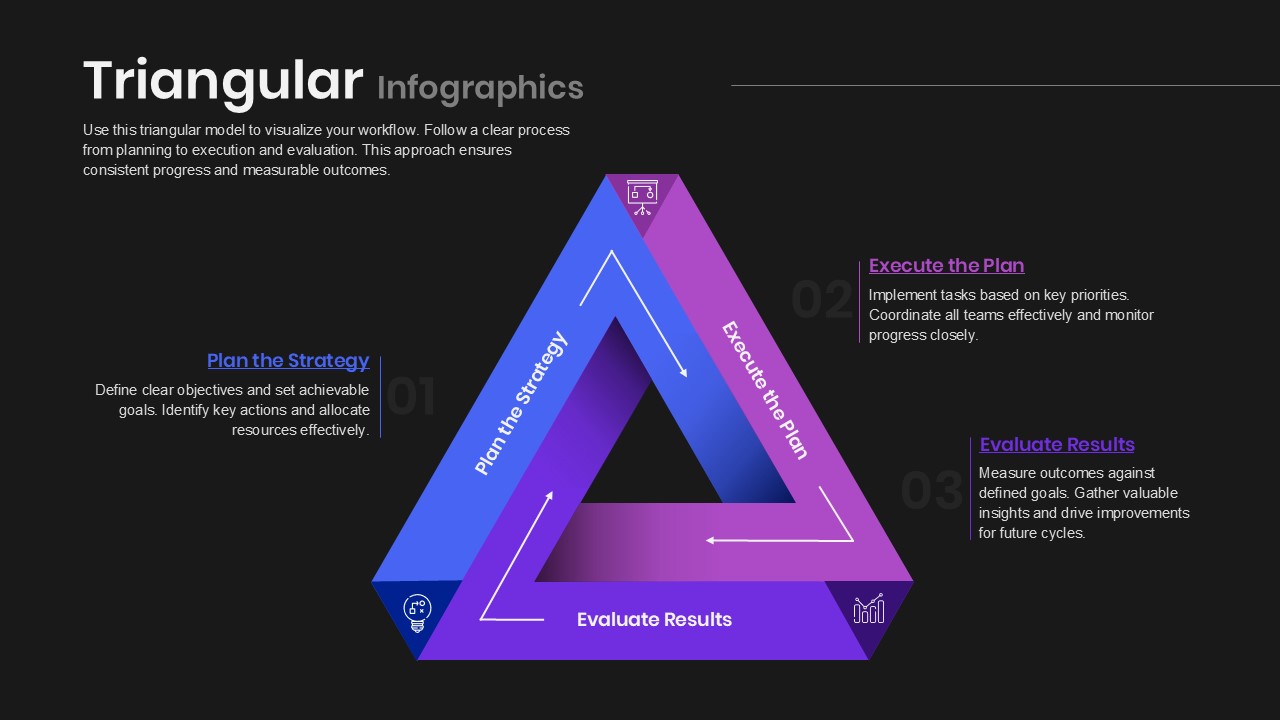
This Triangular Infographics Presentation Slide Template for PowerPoint and Google Slides gives you a clean 3-step loop layout to display repeating cycles, workflows, and continuous improvement processes. It uses an impossible Penrose-style triangle with directional arrows and matching text callouts, making it easy to explain a 3-phase strategy without relying on basic circular diagrams or plain lists.
Slide Layout & Vector Diagram Breakdown
- Top Header & Intro Block: Features a bold “Triangular Infographics” title on the top left with an editable paragraph to describe the workflow, purpose, or methodology.
- 3D Triangular Loop Shape: A central 3D ribbon triangle with continuous gradient shading moving from royal blue to violet and magenta:
- Plan the Strategy (Side 1): Blue ascending left side with an inner white directional arrow showing the flow upward.
- Execute the Plan (Side 2): Purple descending right side with an inner white directional arrow pointing down.
- Evaluate Results (Side 3): Violet horizontal base connecting the loop back to the start.
- Corner Vector Icons: Small outline icons placed at each vertex to support each stage:
- Top Vertex: Presentation easel board icon for planning and alignment.
- Bottom-Right Vertex: Ascending bar chart icon for performance evaluation and metrics.
- Bottom-Left Vertex: Lightbulb and gear icon for strategy generation and ideation.
- Three Structured Callout Sections: Positioned around the triangle with large faint watermark numbers (01, 02, 03), colored category headers, and clear body copy:
- 01 Plan the Strategy (Left): Space to cover setting objectives, assigning actions, and allocating resources.
- 02 Execute the Plan (Top Right): Section to outline priority tasks, cross-team coordination, and milestone monitoring.
- 03 Evaluate Results (Bottom Right): Container to track performance against goals, gather insights, and plan next improvements.
Ideal Slide Deck Applications
- Continuous Improvement Loops: Present Deming cycles, PDCA processes, or agile feedback loops.
- Strategic Planning Decks: Walk leadership teams through business planning, execution roadmaps, and review cycles.
- Project Management Briefings: Outline project phases from initial planning to team delivery and post-launch retrospectives.
- Product Management Sprints: Show discovery, release, and analysis stages for iterative product roadmaps.
Presentation Template Features & Customization
- Fully Editable: Works in Microsoft PowerPoint and Google Slides. You can modify text labels, reorder steps, edit colors, swap vector icons, or adjust fonts.
- Clear Closed-Loop Flow: The interlocking triangle shape visually reinforces that the workflow is ongoing and repeats continuously.
Check out more pyramid presentation templates.
Login to download this file

Item ID
SB05605Designed By
Sharon


