Scrum Master Diagram Template for PowerPoint & Google Slides

Scrum Master Role Presentation Template for PowerPoint & Google Slides
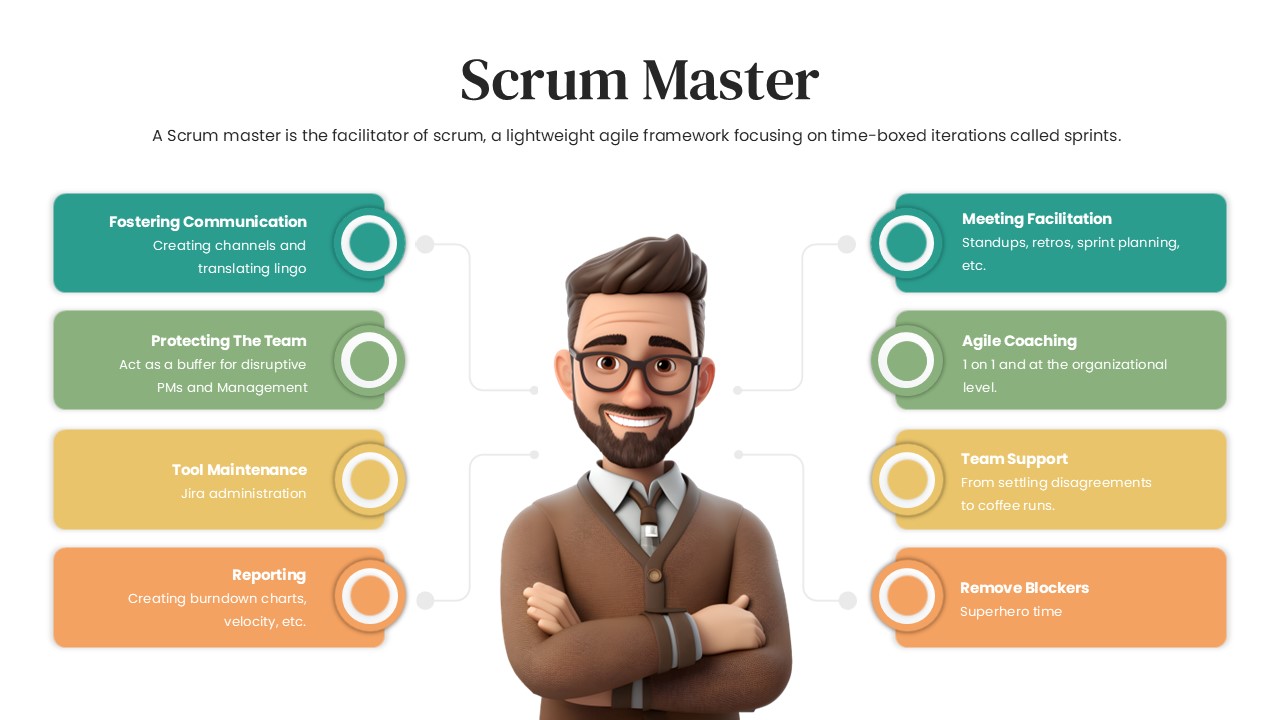
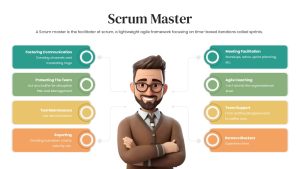
Agile development stalls when teams lack a dedicated facilitator to clear obstacles and enforce sprint disciplines. Built around a friendly 3D professional avatar, this Scrum Master presentation slide outlines the primary responsibilities that turn a collection of developers into a high-performing scrum team.
The balanced left-to-right branch layout frames the multifaceted nature of servant leadership. Agile coaches, engineering leads, and project managers can use this deck to onboard cross-functional squads, clarify role boundaries to executive leadership, or train new facilitators on daily delivery rituals.
Where This Framework Adds Value
- Agile Team Onboarding: Define the core boundaries between a Scrum Master, Product Owner, and Engineering Lead during squad kickoffs.
- Executive Agile Transformation Briefings: Help leadership understand why dedicated facilitators are necessary for sprint velocity rather than treating them as traditional project managers.
- Team Retrospectives & Role Reviews: Reset expectations around impediment removal, meeting facilitation, and sprint discipline when workflows break down.
- Internal Agile Coaching Workshops: Guide associate scrum facilitators through administrative tooling, metric reporting, and interpersonal mediation duties.
Core Strategic Focus Areas
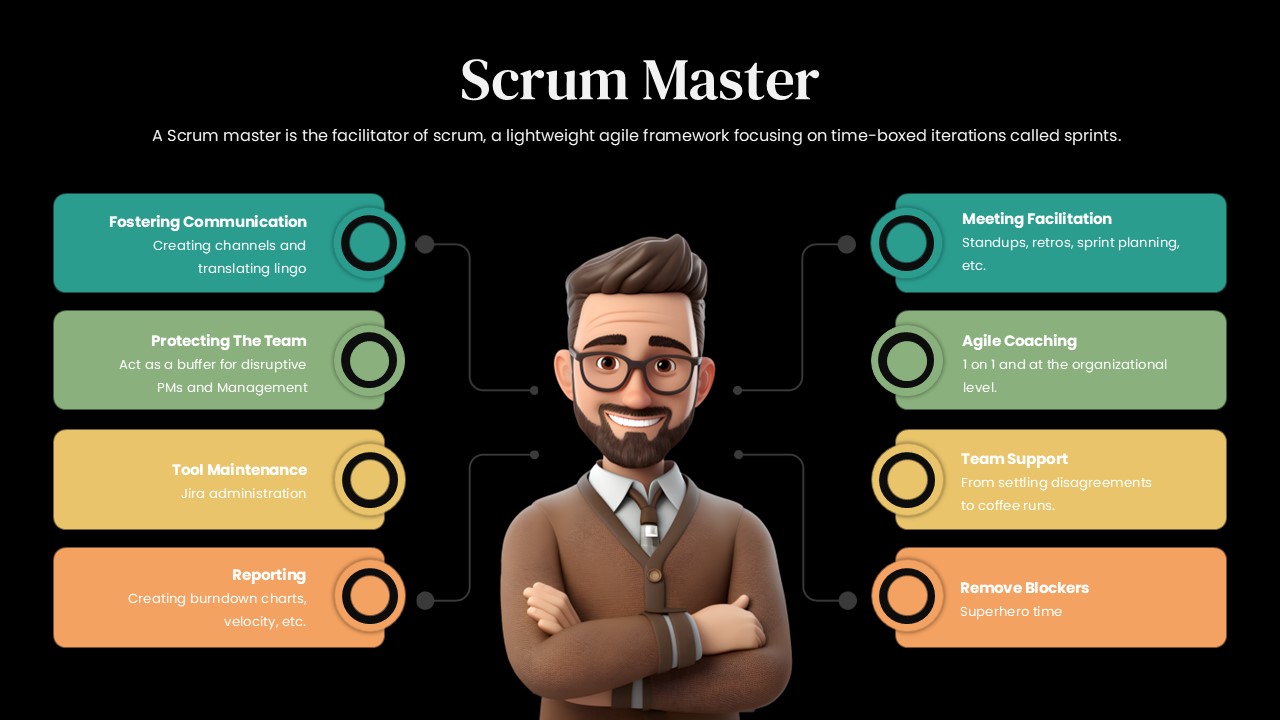
The slide organizes the Scrum Master’s day-to-day value across eight core operational levers:
- Meeting Facilitation & Communication: Guides structured standups, planning rituals, and retrospectives while translating technical context across teams.
- Team Shielding & Blocker Removal: Acts as a buffer against disruptive executive requests while eliminating daily workflow bottlenecks.
- Process Coaching & Interpersonal Support: Mentors squads on agile principles, resolves team friction, and supports morale.
- Tool Administration & Performance Reporting: Manages Jira workflows and tracks velocity or burndown charts to keep sprints on track.
Layout Highlights
- Clean headline and definition block sit at the top to ground the agile terminology.
- Central 3D avatar grounds the presentation with an approachable visual anchor.
- Eight rounded horizontal cards flank the center character, using connected circular node pins to balance the points symmetrically.
- Subtle gradient color palette moves from teal and mint green down to amber and coral, helping distinguish soft skills from technical tracking.
- Fully editable components in Microsoft PowerPoint and Google Slides let you modify role definitions, adjust colors, or update text blocks easily.
Login to download this file

Item ID
SB05295


Related Templates

SCRUM PowerPoint Template and Google Slide Diagram
Scrum
Agile Scrum Process & Roles Deck Template for PowerPoint & Google Slides
Software Development
SCRUM Process PowerPoint Template
Scrum
Daily Scrum Table PowerPoint Template
Scrum
Weekly Scrum Meeting PowerPoint Presentation Template
Project Management
Large Scale Scrum Framework Template
Scrum