search

Essentials

Must-have decks for quick wins

By Industry

Professionally tailored slides for every sector

By Style

Minimal, modern and creative designs

By Topic

Explore slides curated by purpose and theme

TimelineTimelineRoadmapRoadmapStrategyStrategyGoalsGoalsTableTableComparisonComparisonSWOTSWOTAgendaAgendaArrowArrowWorld MapWorld MapMapsMapsProcessProcessFunnelFunnelTeamTeamOrg ChartOrg ChartPyramidPyramidCircularCircular

Business PlanBusiness PlanBusiness StrategyBusiness StrategyBusiness ProposalBusiness ProposalBusiness ModelsBusiness ModelsDigital MarketingDigital MarketingMarketing FunnelMarketing FunnelCustomer ExperienceCustomer ExperienceProject StatusProject StatusGantt ChartGantt ChartRecruitmentRecruitmentEmployee PerformanceEmployee PerformanceLeadershipLeadershipAIAIMachine LearningMachine Learning

AI Presentation Maker

Install the Windows plugin for quick access to templates and design tools.

AI Infographics Maker

Use our Office 365 add - in to access templates directly from the cloud.

Exe Version

Install the Windows plugin for quick access to templates and design tools.

Office 365

Use our Office 365 add - in to access templates directly from the cloud.

Mac Version

Get the Mac plugin to easily browse, insert, and customize templates and visuals within PowerPoint.

Sankey Diagram Presentation Template for PowerPoint
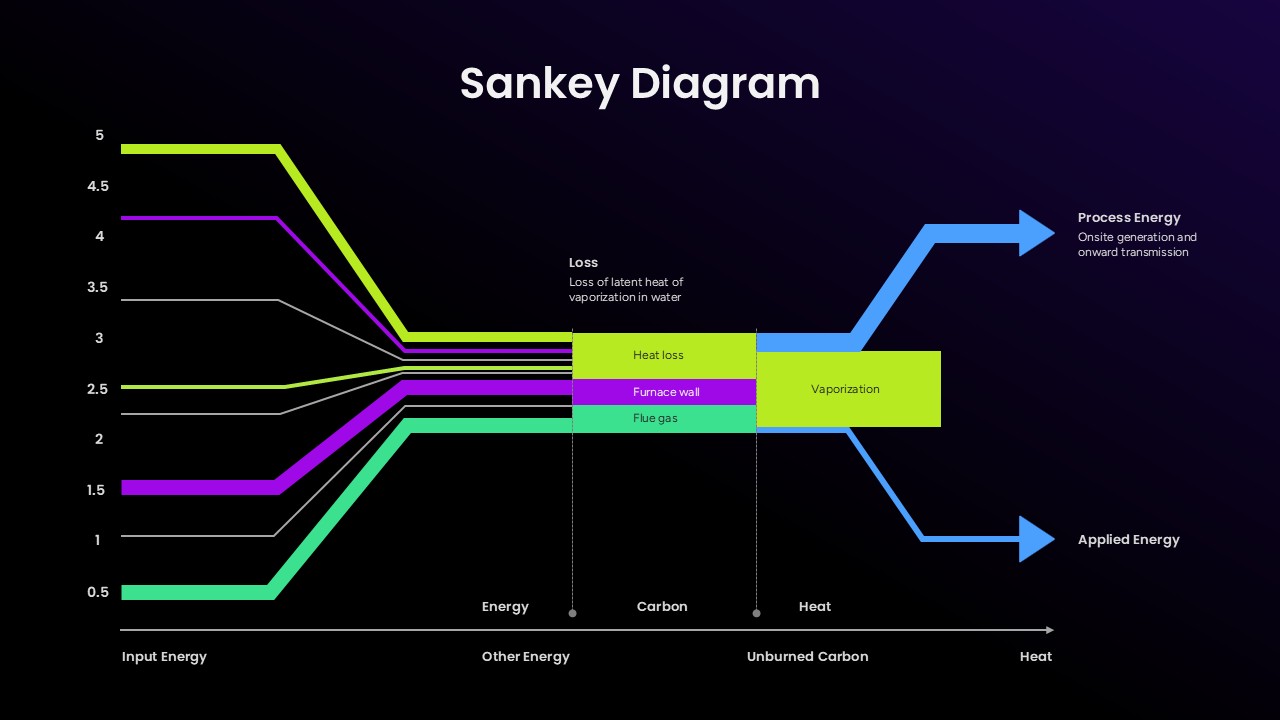
Sankey Diagram PowerPoint template showing energy flow, heat loss, vaporization, process energy, and applied energy with colorful flow paths on a dark background.
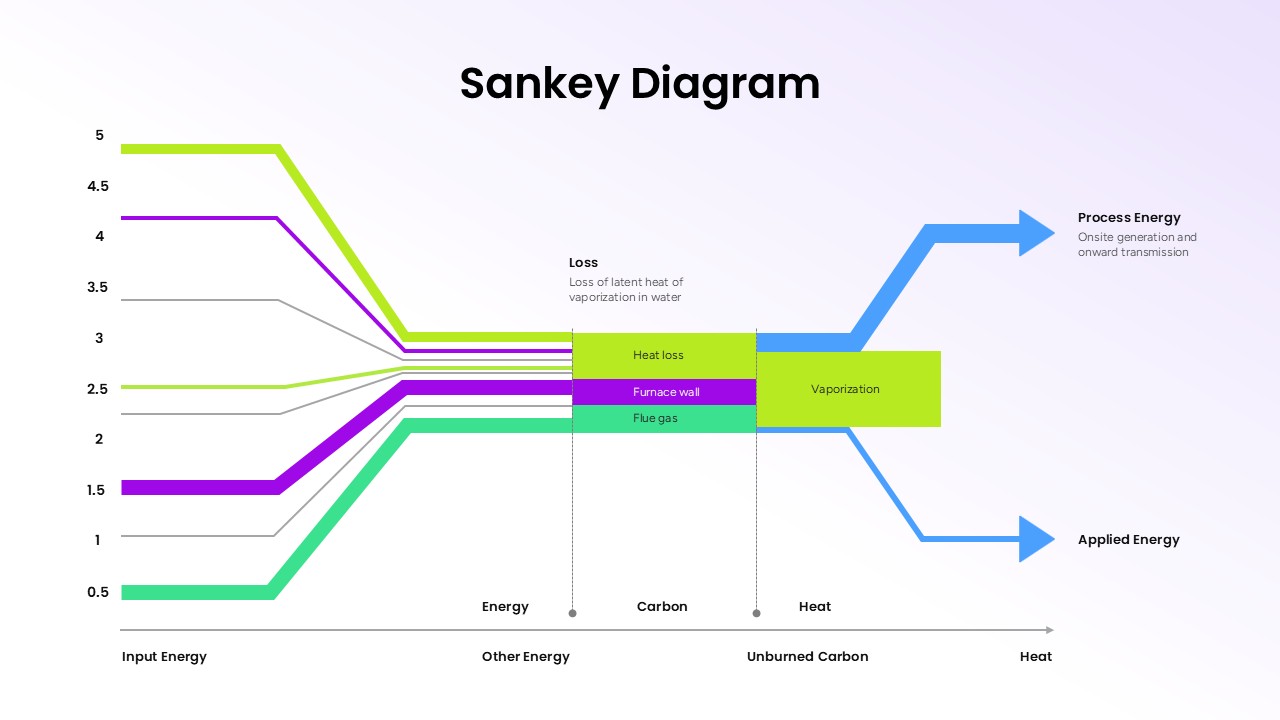
Sankey Diagram Google Slides template illustrating energy distribution, heat flow, vaporization, and process energy using colorful flow arrows on a light background.
Sankey Diagram PowerPoint template showing energy flow, heat loss, vaporization, process energy, and applied energy with colorful flow paths on a dark background.
Sankey Diagram Google Slides template illustrating energy distribution, heat flow, vaporization, and process energy using colorful flow arrows on a light background.

Present complex systems and flow relationships clearly with this Sankey Diagram template editable in PowerPoint and Google Slides. Designed to simplify data-heavy presentations, the template helps teams visualize how resources, budgets, materials, or processes move from one stage to another. Its proportional flow design makes it easier to identify inefficiencies, bottlenecks, and distribution patterns that may be difficult to explain through traditional charts.

This Sankey diagram template is useful for manufacturing reports, energy analysis, sustainability planning, supply chain mapping, financial reporting, and business process presentations. Project managers can use it to display resource allocation across departments or project phases, while analysts and consultants can explain workflow performance and operational improvements with greater clarity.

The template includes professionally designed dark and light theme layouts, allowing presenters to match different branding styles or presentation environments. Every element is fully editable in PowerPoint and Google Slides, making it simple to adjust colors, labels, flow sizes, and text according to project requirements.

Whether you are presenting customer journeys, energy transfers, production flows, budget distribution, or data movement within IT systems, this template helps turn complicated information into an organized visual story. Its clean structure supports executive meetings, academic research, operational reviews, and strategic planning discussions with a more engaging and understandable presentation format.

Frequently Asked Questions

What types of data work best with Sankey diagrams?

Sankey diagrams excel at showing flow data where quantities move from sources to destinations, such as energy flows, budget allocation, material flows in manufacturing, website traffic paths, or any process with inputs, outputs, and losses.

Can I customize the colors and labels in this template?

Yes, the template is fully editable in both PowerPoint and Google Slides. You can modify colors, change labels, adjust flow proportions, and add or remove flow paths to match your specific data and branding requirements.

Login to download this file