

















































Project Status Dashboard with KPI Indicators Template

Description
This Project Status Dashboard with KPI Indicators Template for PowerPoint & Google Slides is designed to simplify project tracking and reporting with a professional, data-driven format. The slide layout includes a structured table where you can list project components, responsible teams, detailed descriptions, and current status updates, alongside a space for specific notes or details. The built-in color-coded status system—green for resolved, yellow for in progress, and red for unsolved—enables quick identification of progress and challenges at a glance.
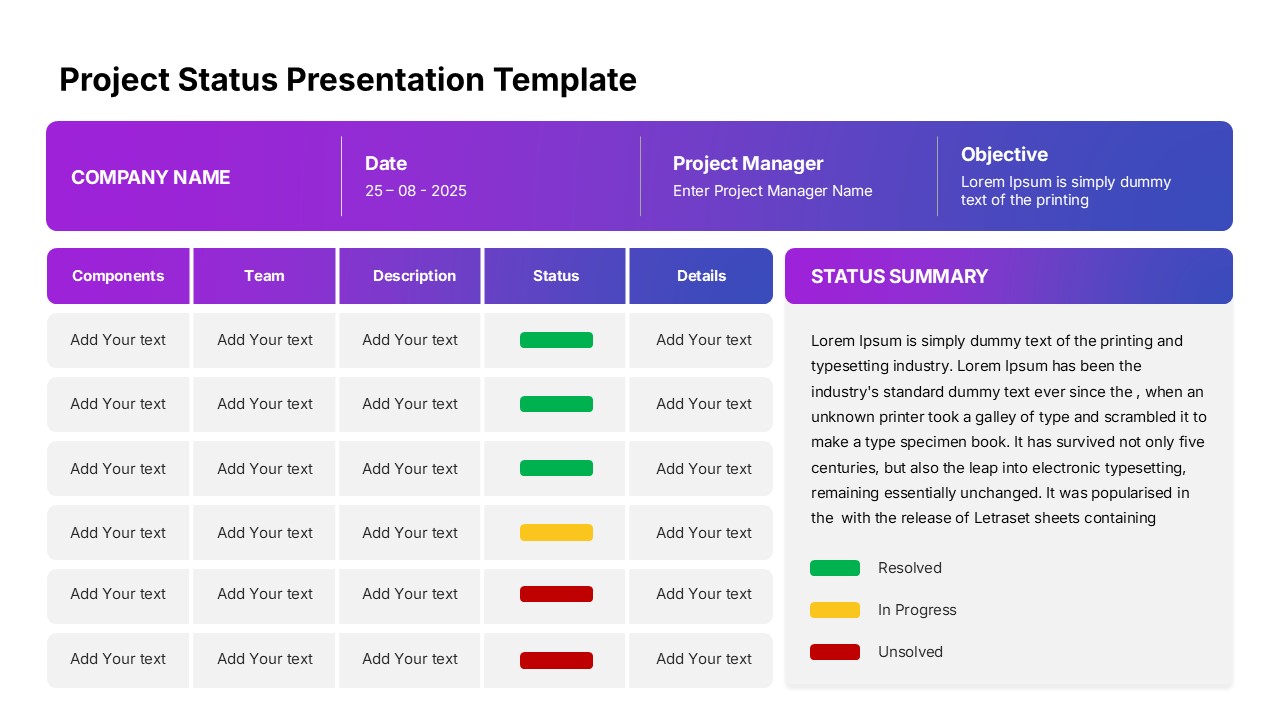
The template features a modern gradient header with placeholders for company name, date, project manager, and project objectives, ensuring clarity and alignment during presentations. On the right-hand side, a dedicated status summary panel allows you to add a concise project overview, highlight risks, or summarize achievements, making it easy to update stakeholders without overwhelming them with too much detail. Its clear grid design and intuitive status markers enhance communication, ensuring that teams and decision-makers stay aligned on project goals and timelines.
Highly customizable, this slide allows you to edit text, change colors, and duplicate rows to track multiple components or milestones. It maintains visual balance with its combination of structured tables and highlighted summary space, making it suitable for formal project reviews or agile sprint updates. Optimized for both PowerPoint and Google Slides, it guarantees seamless presentation delivery across platforms.
Who is it for
This template is ideal for project managers, team leaders, and business executives who need to communicate project status, challenges, and accomplishments in meetings. It also serves consultants, PMO teams, and startup founders who require transparent and structured reporting.
Other Uses
Beyond project management, this dashboard can be repurposed for KPI tracking, operational updates, performance reviews, product development roadmaps, or even HR project evaluations. Its flexible layout also makes it suitable for monitoring departmental objectives, IT project milestones, and client reporting sessions.
Login to download this file


