search

Essentials

Must-have decks for quick wins

By Industry

Professionally tailored slides for every sector

By Style

Minimal, modern and creative designs

By Topic

Explore slides curated by purpose and theme

TimelineTimelineRoadmapRoadmapStrategyStrategyGoalsGoalsTableTableComparisonComparisonSWOTSWOTAgendaAgendaArrowArrowWorld MapWorld MapMapsMapsProcessProcessFunnelFunnelTeamTeamOrg ChartOrg ChartPyramidPyramidCircularCircular

Business PlanBusiness PlanBusiness StrategyBusiness StrategyBusiness ProposalBusiness ProposalBusiness ModelsBusiness ModelsDigital MarketingDigital MarketingMarketing FunnelMarketing FunnelCustomer ExperienceCustomer ExperienceProject StatusProject StatusGantt ChartGantt ChartRecruitmentRecruitmentEmployee PerformanceEmployee PerformanceLeadershipLeadershipAIAIMachine LearningMachine Learning

AI Presentation Maker

Install the Windows plugin for quick access to templates and design tools.

AI Infographics Maker

Use our Office 365 add - in to access templates directly from the cloud.

Exe Version

Install the Windows plugin for quick access to templates and design tools.

Office 365

Use our Office 365 add - in to access templates directly from the cloud.

Mac Version

Get the Mac plugin to easily browse, insert, and customize templates and visuals within PowerPoint.

Effort PDCA Circle Diagram Presentation Slide
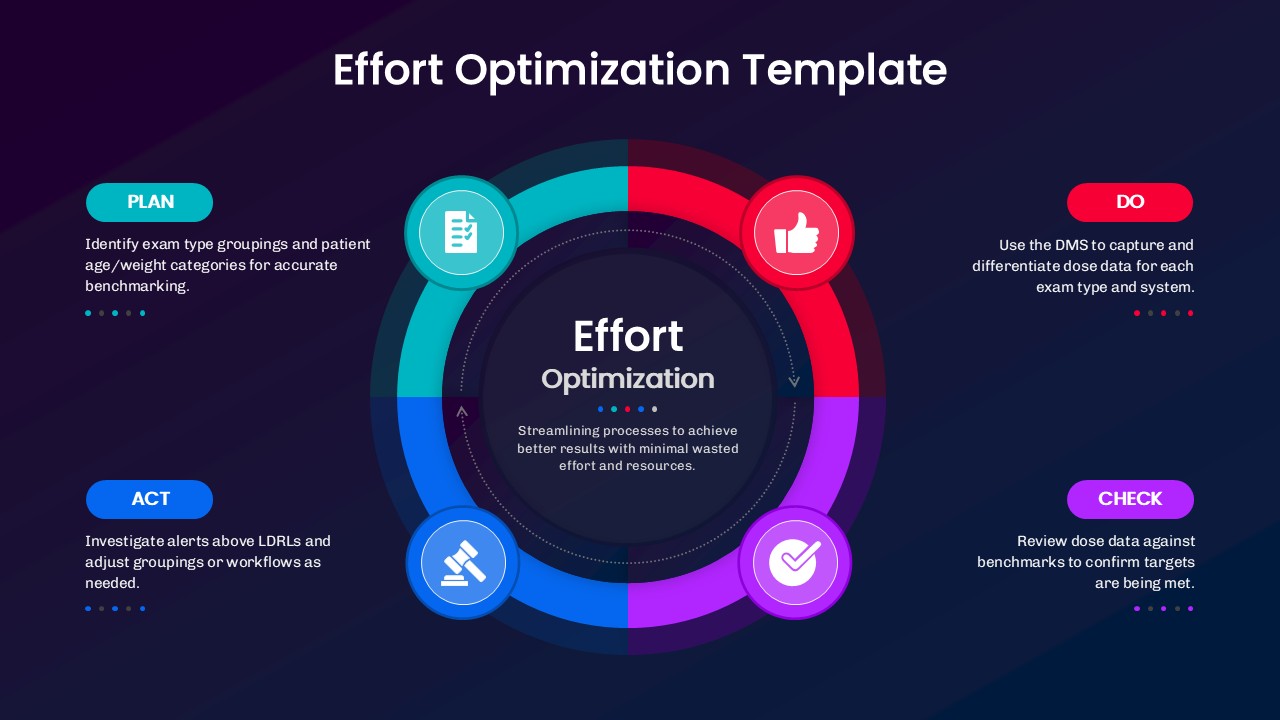
This Effort PDCA Circle Diagram Presentation template for PowerPoint contains a complete slide deck with sections for introduction, main content, and conclusion. Business professionals can use this presentation to communicate with stakeholders and clients. The template includes editable text placeholders, color schemes, and layout options for customization.
This template is part of a deck featuring multiple slides. To check out all slides, click on See All. See All round right arrow
This Effort PDCA Diagram Presentation template for PowerPoint contains a complete slide deck with sections for introduction, main content, and conclusion. Business professionals can use this presentation to communicate with stakeholders and clients. The template includes editable text placeholders, color schemes, and layout options for customization.

Description

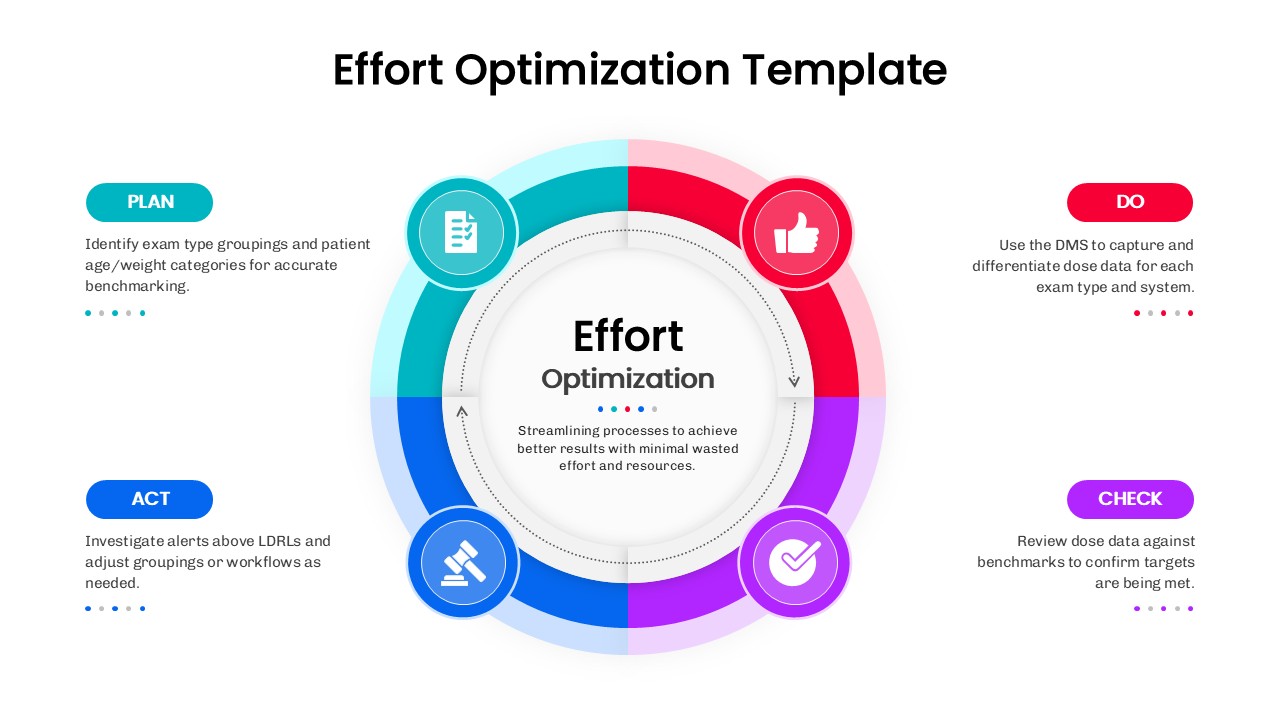
Showcase continuous improvement with a polished PDCA cycle focused on effort optimization. This slide centers a soft-shadow circular core titled “Effort Optimization,” surrounded by four bold, color-coded quadrants. Each segment maps a phase—PLAN, DO, CHECK, ACT—with a matching icon (clipboard, thumbs-up, checkmark, gavel) to boost instant recognition. Side callouts provide space for brief guidance, metrics, or benchmarks, while the concentric rings and subtle arrows emphasize iteration and momentum. The layout is clean, balanced, and presentation-ready, ensuring your message remains clear from the boardroom to operational huddles.

Every element is fully editable in both PowerPoint and Google Slides: swap icons, rewrite labels, recolor quadrants to match brand palettes, or resize the central objective to spotlight outcomes. The composition works equally well for summarizing procedures, standardizing workflows, or reporting improvements against targets. Its circular form communicates continuity and accountability, making it ideal for Kaizen, Lean, and quality management updates. Use the center to state the goal (e.g., “Streamlining processes to achieve better results with minimal wasted effort and resources”) and the surrounding panels to detail actions, responsibilities, and evidence.

With its modern typography, rounded buttons, and crisp spacing, this diagram turns complex cycles into an easy-to-scan narrative. Duplicate the slide to track progress over multiple sprints, compare teams, or document lessons learned—without rebuilding visuals from scratch.

Who is it for

Operations leaders, quality managers, project managers, consultants, and PMO teams seeking a clear PDCA framework for reviews, stand-ups, and executive updates.

Other Uses

Apply the cycle to compliance checks, service delivery tuning, healthcare process reviews, product support loops, onboarding improvements, or quarterly performance retrospectives.

Login to download this file