search

Essentials

Must-have decks for quick wins

By Industry

Professionally tailored slides for every sector

By Style

Minimal, modern and creative designs

By Topic

Explore slides curated by purpose and theme

TimelineTimelineRoadmapRoadmapStrategyStrategyGoalsGoalsTableTableComparisonComparisonSWOTSWOTAgendaAgendaArrowArrowWorld MapWorld MapMapsMapsProcessProcessFunnelFunnelTeamTeamOrg ChartOrg ChartPyramidPyramidCircularCircular

Business PlanBusiness PlanBusiness StrategyBusiness StrategyBusiness ProposalBusiness ProposalBusiness ModelsBusiness ModelsDigital MarketingDigital MarketingMarketing FunnelMarketing FunnelCustomer ExperienceCustomer ExperienceProject StatusProject StatusGantt ChartGantt ChartRecruitmentRecruitmentEmployee PerformanceEmployee PerformanceLeadershipLeadershipAIAIMachine LearningMachine Learning

AI Presentation Maker

Install the Windows plugin for quick access to templates and design tools.

AI Infographics Maker

Use our Office 365 add - in to access templates directly from the cloud.

Exe Version

Install the Windows plugin for quick access to templates and design tools.

Office 365

Use our Office 365 add - in to access templates directly from the cloud.

Mac Version

Get the Mac plugin to easily browse, insert, and customize templates and visuals within PowerPoint.

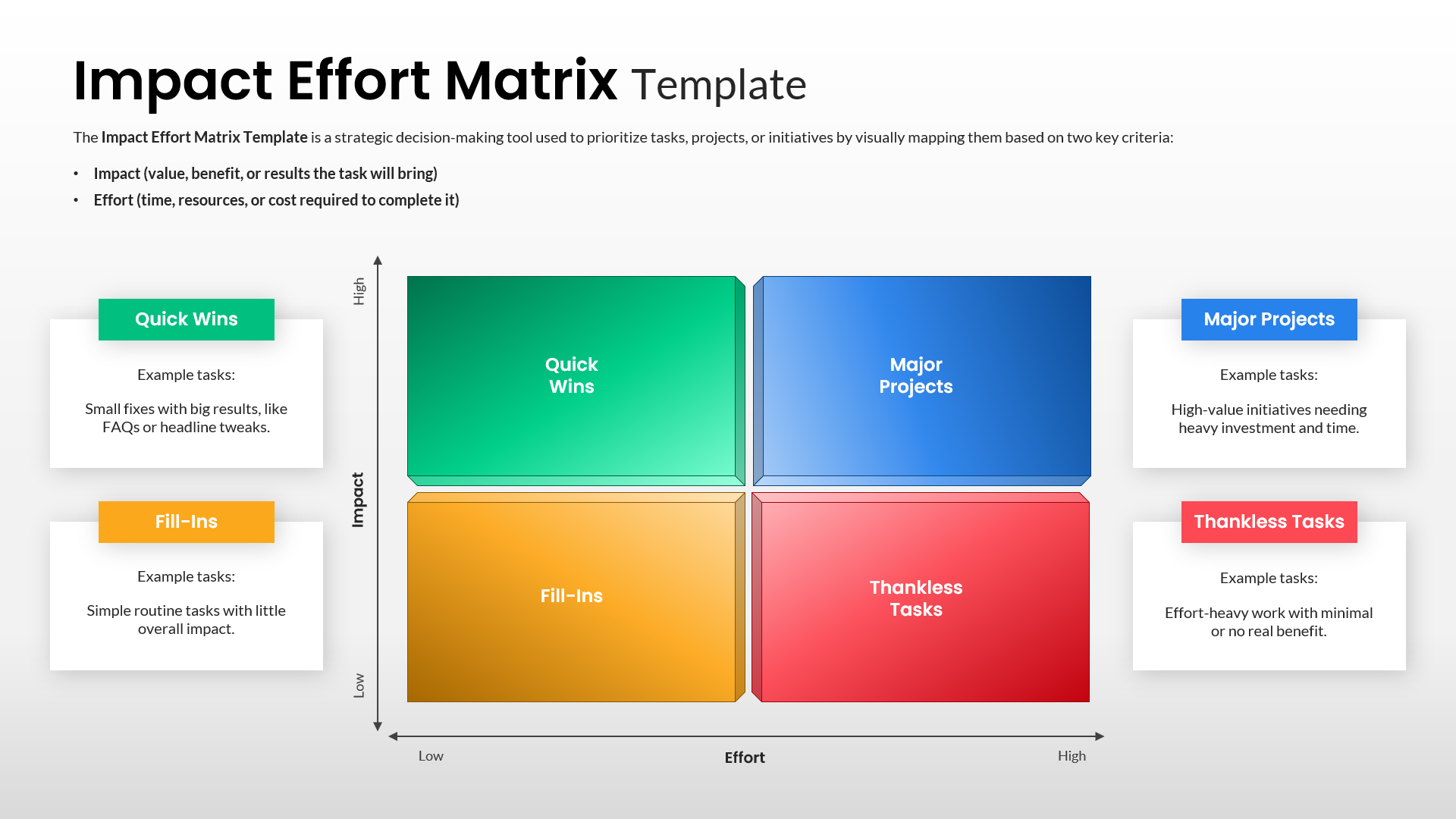
Impact Effort Matrix Prioritization Diagram Slide
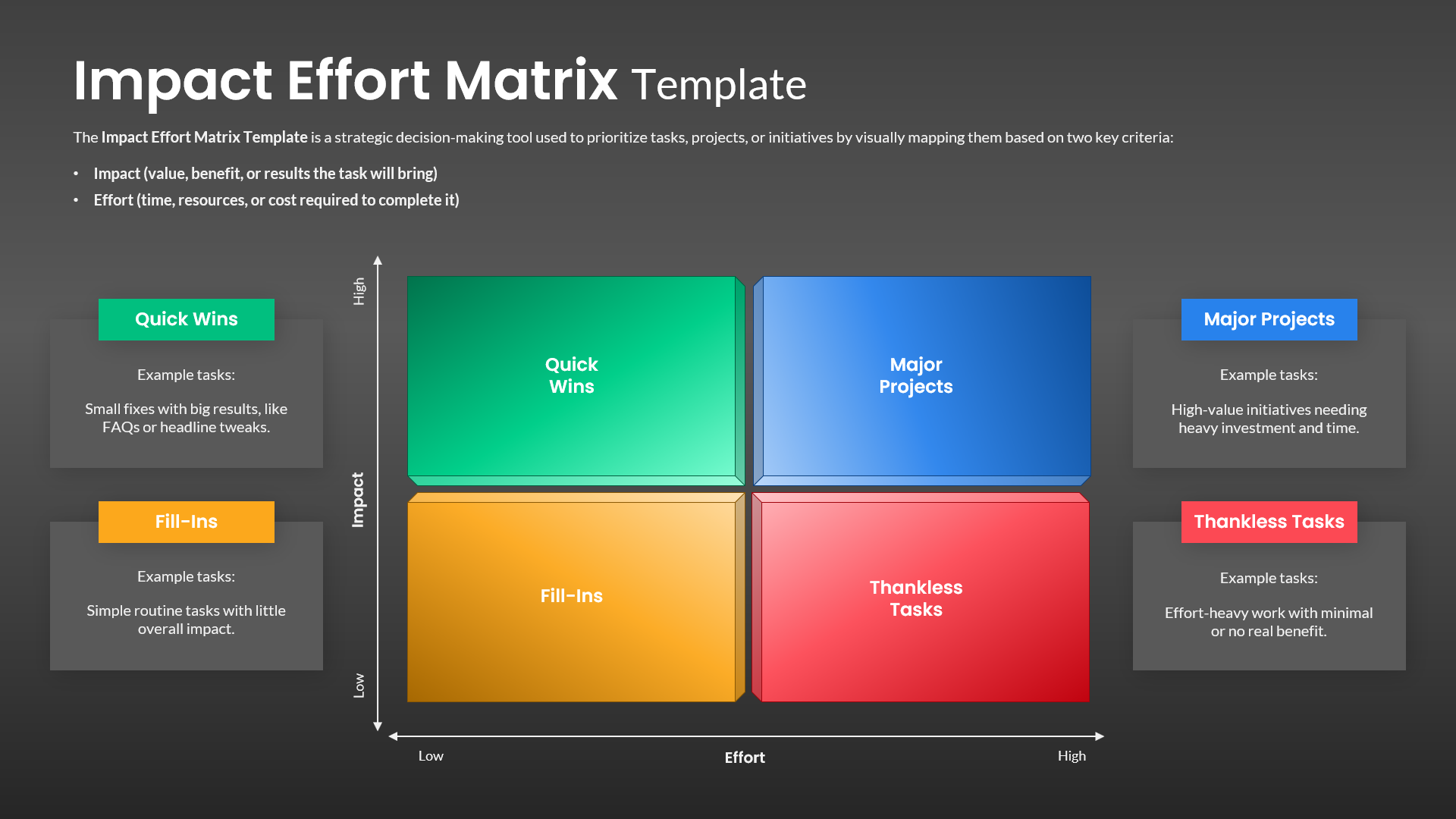
Impact Effort Matrix Prioritization Diagram Editable Slide
This template is part of a deck featuring multiple slides. To check out all slides, click on See All. See All round right arrow
Impact Effort Matrix Template for PPT & Google Slides

Description

Make smarter prioritization decisions with this Impact Effort Matrix infographic slide, designed to visually compare initiatives based on value versus required effort. The slide features a clean four-quadrant matrix with clearly labeled axes—Impact on the vertical scale and Effort on the horizontal scale—allowing audiences to instantly understand trade-offs. Each quadrant is color-coded and titled for clarity: Quick Wins, Major Projects, Fill-Ins, and Thankless Tasks. Supporting callout cards positioned around the matrix explain example use cases for each quadrant, helping teams align quickly on why specific tasks belong where. Subtle gradients, soft shadows, and generous spacing create a modern, professional look without distracting from the core message.

This template is fully editable in PowerPoint and Google Slides, enabling users to replace quadrant labels, adjust colors, or reposition elements to match organizational frameworks. The balanced layout supports workshops, planning sessions, and executive reviews by turning abstract prioritization discussions into a structured, visual exercise. Whether mapping features, initiatives, or operational tasks, the matrix encourages objective evaluation and consensus-driven decision-making.

Who is it for

This slide is ideal for product managers, project managers, business analysts, and strategy teams who need to prioritize initiatives efficiently. Consultants, startup founders, and operations leaders can also use it to guide planning discussions and resource allocation decisions.

Other Uses

Beyond task prioritization, repurpose this matrix for feature roadmaps, process improvements, risk assessments, or personal productivity planning. It also works well for marketing campaigns, IT backlogs, or change management initiatives where impact-versus-effort analysis is essential.

Login to download this file