Headcount Planning Circular Process Diagram


Description
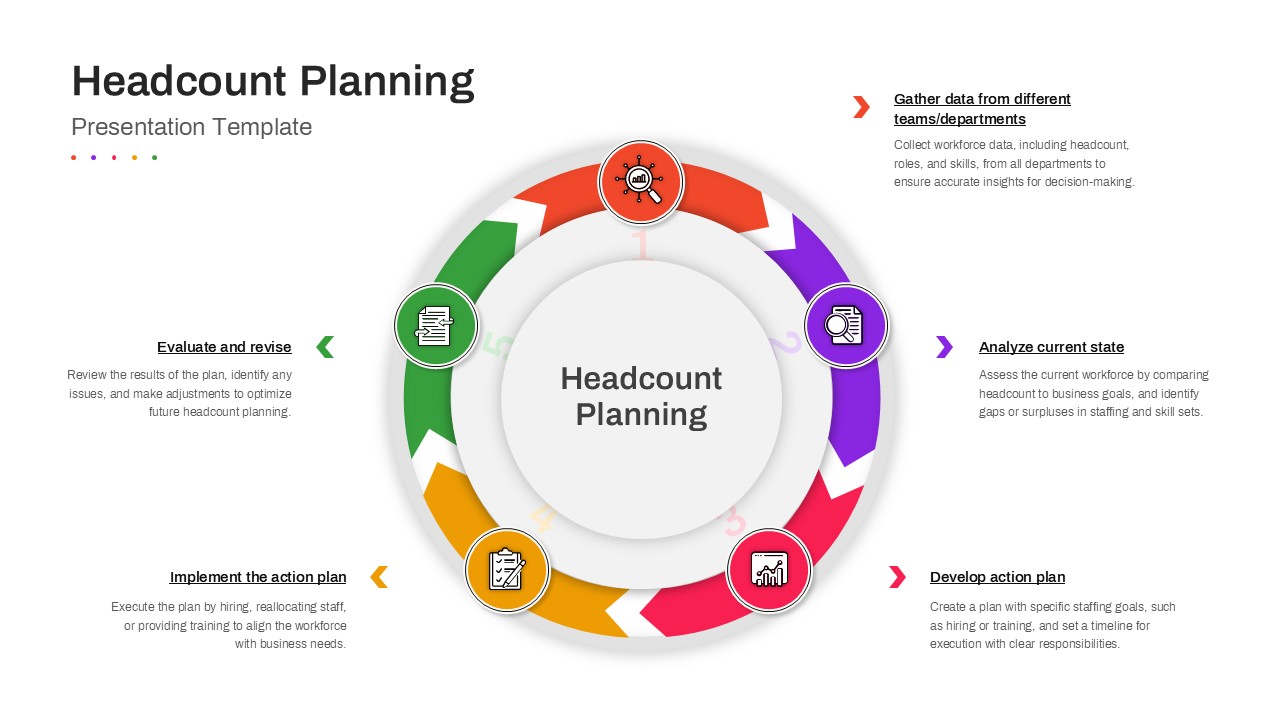
Visualize workforce strategy with clarity using this Headcount Planning Circular Process Diagram slide. Built around a clean, multi-step circular flow, this template illustrates the complete headcount planning lifecycle—from data collection to evaluation and revision—in a single, cohesive visual. Each stage is represented by a color-coded segment with intuitive icons and directional arrows, guiding audiences through a logical progression of actions. The central focus reinforces the core concept of headcount planning, while the surrounding steps help teams communicate structured, repeatable workforce processes. With ample space for short explanatory text beside each step, the slide balances visual impact with informative context, making complex planning frameworks easy to understand.
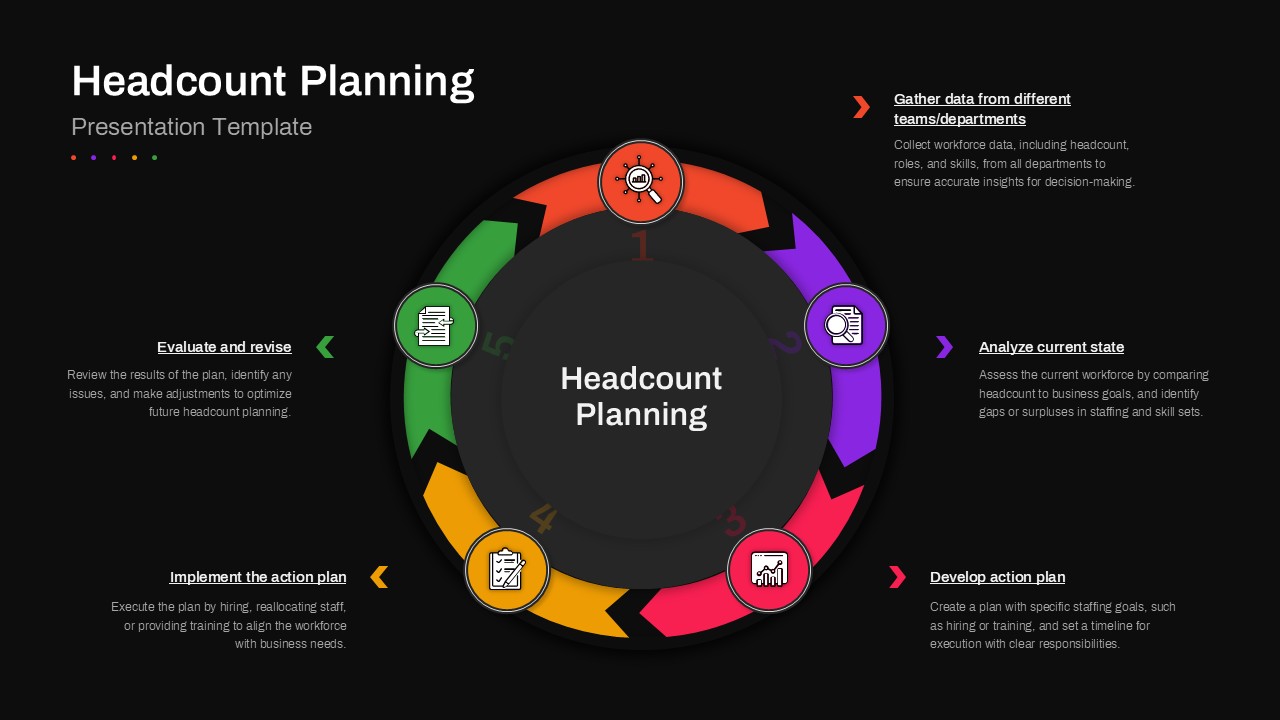
Designed for seamless customization in PowerPoint and Google Slides, this slide allows users to edit text, icons, and colors without disrupting layout integrity. The circular format is especially effective for showcasing continuous improvement cycles, long-term workforce strategies, and iterative planning models. Its modern design aesthetic supports professional presentations while remaining flexible enough for different industries and organizational scales.
Who is it for
This slide is ideal for HR leaders, workforce planners, and operations managers responsible for aligning staffing levels with business goals. Consultants, strategy teams, and people analytics professionals can also use it to present structured headcount methodologies to clients or executives.
Other Uses
Beyond headcount planning, this diagram can be repurposed for talent management cycles, capacity planning, annual HR strategy reviews, or operational process frameworks. It also works well for training materials, internal workshops, and business planning decks that require a clear, step-by-step circular model.
Login to download this file