Employer of Record Presentation Template
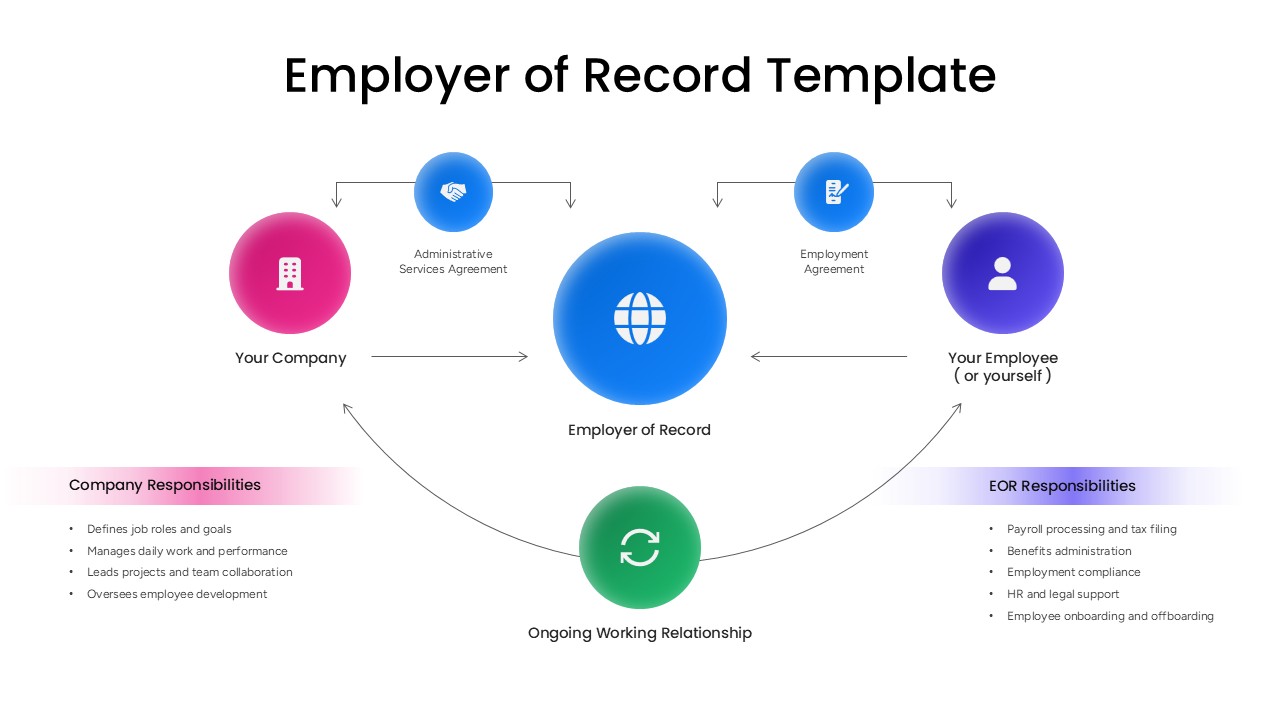
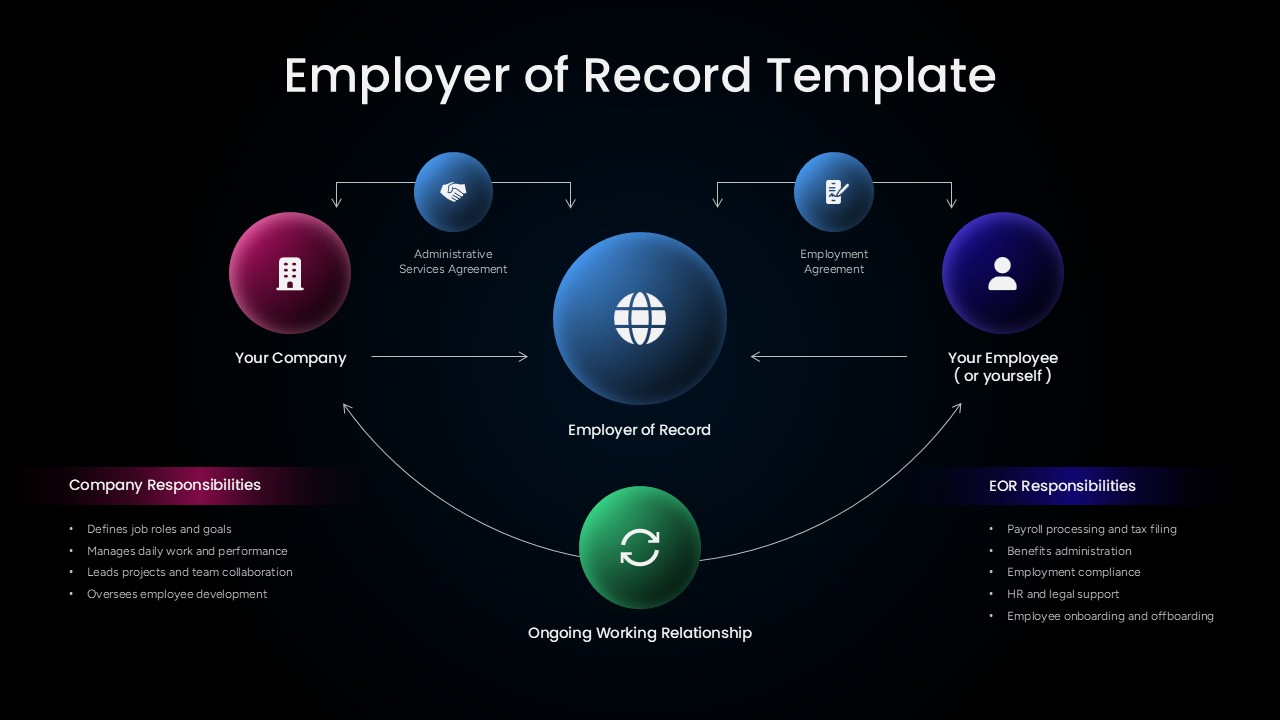

An employer of record, or EOR, is a third-party organization that takes on the legal responsibility of employing a worker on behalf of another company, managing payroll, tax filing, and compliance so the hiring business can operate in a new market without registering its own local entity. This Employer of Record PowerPoint Template turns that arrangement into a five-node radial diagram on a clean white background, with color-coded circles linking Your Company, the Employer of Record, and Your Employee through two labeled agreements and a looping arrow that represents the ongoing working relationship between all three parties.
The pink Your Company node connects to the blue center Employer of Record node through an Administrative Services Agreement, while the purple Your Employee node links in from the opposite side through an Employment Agreement, positioning the EOR as the legal middle ground between both. A green node sits beneath the diagram labeled Ongoing Working Relationship, with curved arrows looping back to both Company and Employee to show that the arrangement continues actively rather than ending once the agreements are signed. Two responsibility columns run beneath the diagram itself, splitting duties into what the hiring company retains, defining job roles, managing daily performance, leading projects, and overseeing development, against what the EOR takes on, payroll processing, tax filing, benefits administration, compliance, and onboarding or offboarding.
Global mobility consultants and HR teams expanding into new countries can use this PowerPoint presentation to explain, in a single slide, exactly where legal and operational responsibility splits between a company and its EOR partner, which is often the first question a stakeholder asks before committing to the model. Staffing agencies selling EOR services can lean on the same responsibility breakdown to set client expectations early, avoiding confusion later about who handles what. Because every circle, arrow, and text block in this PPT template sits as its own movable object, the agreement labels, node colors, and responsibility lists can all be edited to reflect a specific provider’s process or a country’s particular compliance requirements.
Download this Employer of Record PowerPoint template to explain global hiring structures clearly in your next HR or expansion strategy presentation, and pair it with an org chart PPT from the same collection to show how EOR-hired staff fit into the wider company reporting structure.
Frequently Asked Questions
Can I edit the responsibilities listed for the company and the EOR?
Which slide version should I use for a client proposal?
Login to download this file

Item ID
SB06152Designed By
Naseeba Sithara


Related Templates

Employer Branding Infographic Diagram Template
Recruitment