search

Essentials

Must-have decks for quick wins

By Industry

Professionally tailored slides for every sector

By Style

Minimal, modern and creative designs

By Topic

Explore slides curated by purpose and theme

TimelineTimelineRoadmapRoadmapStrategyStrategyGoalsGoalsTableTableComparisonComparisonSWOTSWOTAgendaAgendaArrowArrowWorld MapWorld MapMapsMapsProcessProcessFunnelFunnelTeamTeamOrg ChartOrg ChartPyramidPyramidCircularCircular

Business PlanBusiness PlanBusiness StrategyBusiness StrategyBusiness ProposalBusiness ProposalBusiness ModelsBusiness ModelsDigital MarketingDigital MarketingMarketing FunnelMarketing FunnelCustomer ExperienceCustomer ExperienceProject StatusProject StatusGantt ChartGantt ChartRecruitmentRecruitmentEmployee PerformanceEmployee PerformanceLeadershipLeadershipAIAIMachine LearningMachine Learning

AI Presentation Maker

Install the Windows plugin for quick access to templates and design tools.

AI Infographics Maker

Use our Office 365 add - in to access templates directly from the cloud.

Exe Version

Install the Windows plugin for quick access to templates and design tools.

Office 365

Use our Office 365 add - in to access templates directly from the cloud.

Mac Version

Get the Mac plugin to easily browse, insert, and customize templates and visuals within PowerPoint.

Empirical Process Control PowerPoint Template
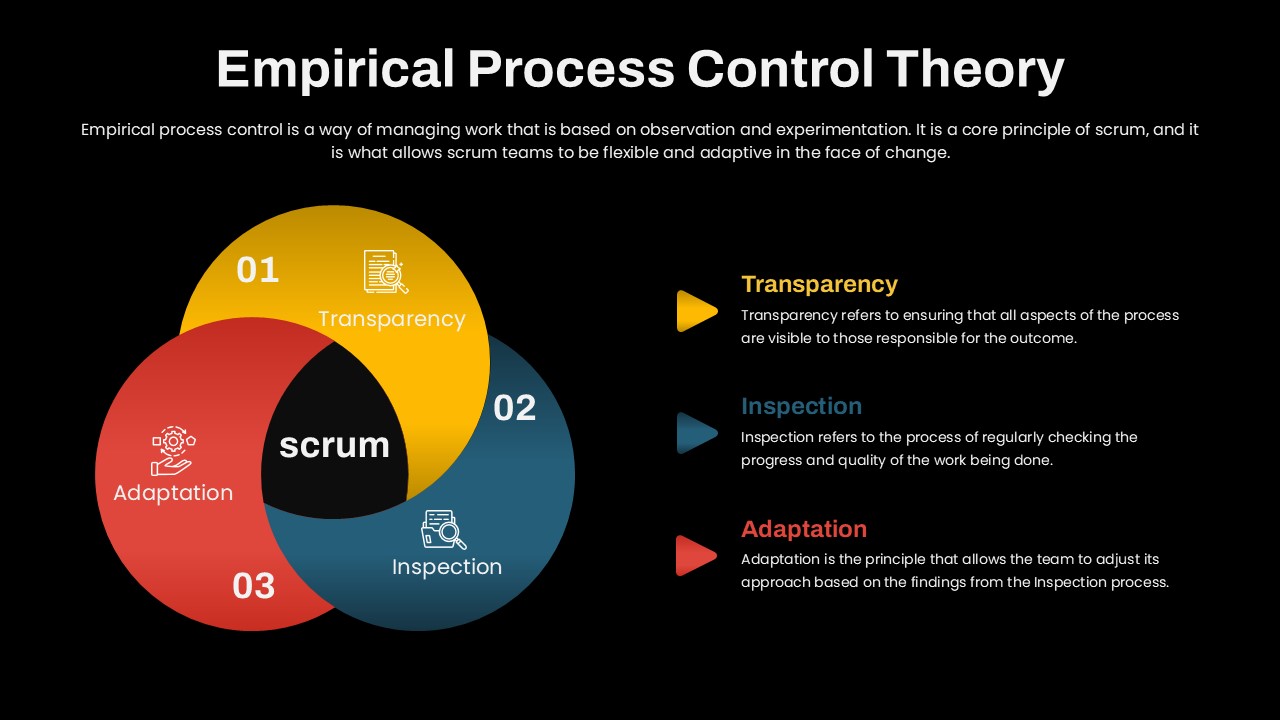
Make an impact with this workflow template illustrating procedures and decision points. Perfect for operations and training teams. Works with PowerPoint and Google Slides.
Step-by-step process layout with numbered stages. Ideal for operations and training teams. Fully editable in PowerPoint and Google Slides.
Make an impact with this workflow template illustrating procedures and decision points. Perfect for operations and training teams. Works with PowerPoint and Google Slides.
Step-by-step process layout with numbered stages. Ideal for operations and training teams. Fully editable in PowerPoint and Google Slides.

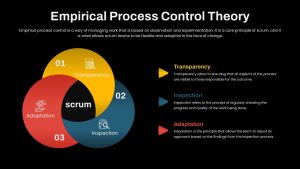
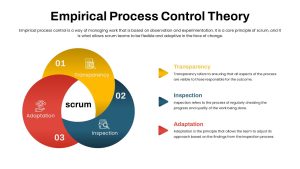
The Empirical Process Control PowerPoint Template provides a simple visual way to explain Scrum’s three core pillars: Transparency, Inspection, and Adaptation. The design uses three overlapping circles, with each circle representing one principle through a distinct color, icon, and step number. Their intersection creates a central Scrum hub, helping audiences understand how the three pillars work together. Supporting text panels provide space for short descriptions, key points, or practical examples, while the clean white background and generous spacing keep the slide easy to follow.
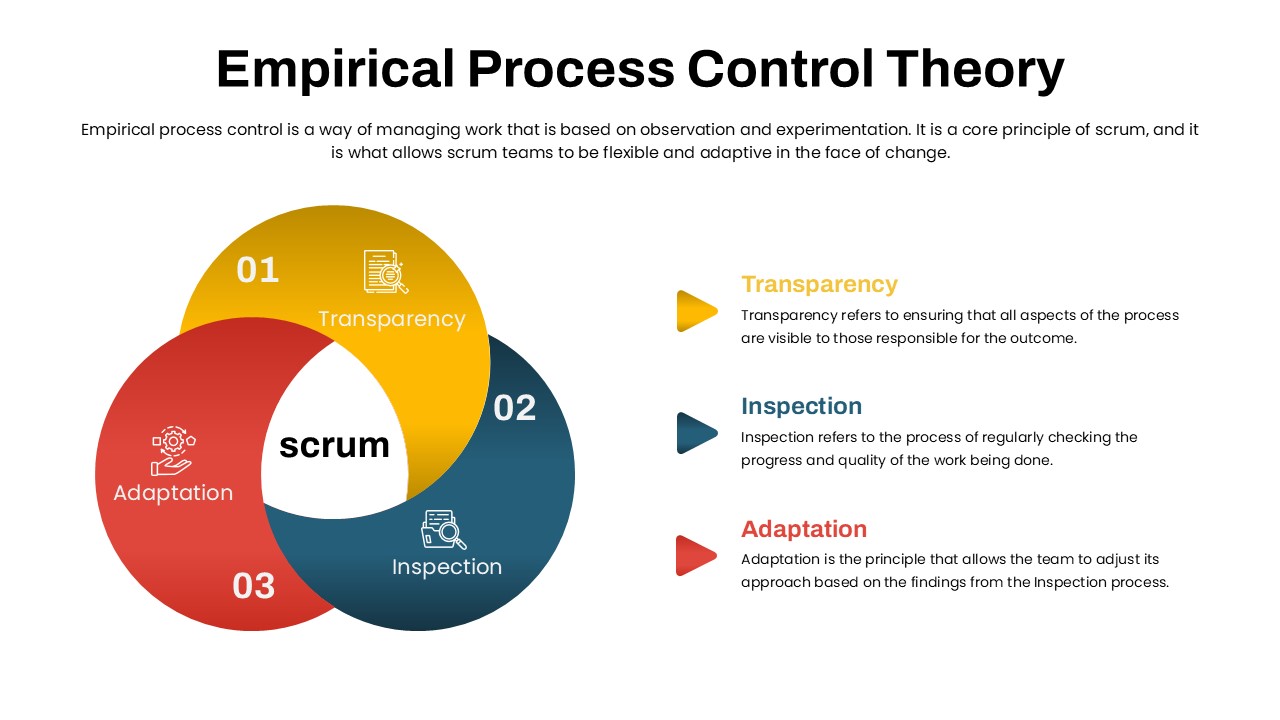
Fully editable in PowerPoint and Google Slides, this template lets you customize the text, icons, colors, and diagram elements to match your presentation. You can adjust the circle layout, replace icons, or repurpose the three-part structure for other concepts. Agile coaches, Scrum Masters, product owners, project managers, development teams, and trainers can use it for Scrum training, Agile workshops, retrospectives, leadership briefings, and product development discussions. The Venn diagram can also be adapted to present risk-control frameworks, quality management principles, DevOps practices, continuous improvement models, or other three-factor relationships. With its structured layout and editable vector elements, the template helps turn interconnected ideas into a concise visual framework that audiences can understand at a glance.

Login to download this file

Tags