search

Essentials

Must-have decks for quick wins

By Industry

Professionally tailored slides for every sector

By Style

Minimal, modern and creative designs

By Topic

Explore slides curated by purpose and theme

TimelineTimelineRoadmapRoadmapStrategyStrategyGoalsGoalsTableTableComparisonComparisonSWOTSWOTAgendaAgendaArrowArrowWorld MapWorld MapMapsMapsProcessProcessFunnelFunnelTeamTeamOrg ChartOrg ChartPyramidPyramidCircularCircular

Business PlanBusiness PlanBusiness StrategyBusiness StrategyBusiness ProposalBusiness ProposalBusiness ModelsBusiness ModelsDigital MarketingDigital MarketingMarketing FunnelMarketing FunnelCustomer ExperienceCustomer ExperienceProject StatusProject StatusGantt ChartGantt ChartRecruitmentRecruitmentEmployee PerformanceEmployee PerformanceLeadershipLeadershipAIAIMachine LearningMachine Learning

AI Presentation Maker

Install the Windows plugin for quick access to templates and design tools.

AI Infographics Maker

Use our Office 365 add - in to access templates directly from the cloud.

Exe Version

Install the Windows plugin for quick access to templates and design tools.

Office 365

Use our Office 365 add - in to access templates directly from the cloud.

Mac Version

Get the Mac plugin to easily browse, insert, and customize templates and visuals within PowerPoint.

Capital Budgeting Circular Google Slides Template
Capital Budgeting Circular Google Slides Template
This template is part of a deck featuring multiple slides. To check out all slides, click on See All. See All round right arrow
Capital Budgeting Circular PowerPoint Template

Description

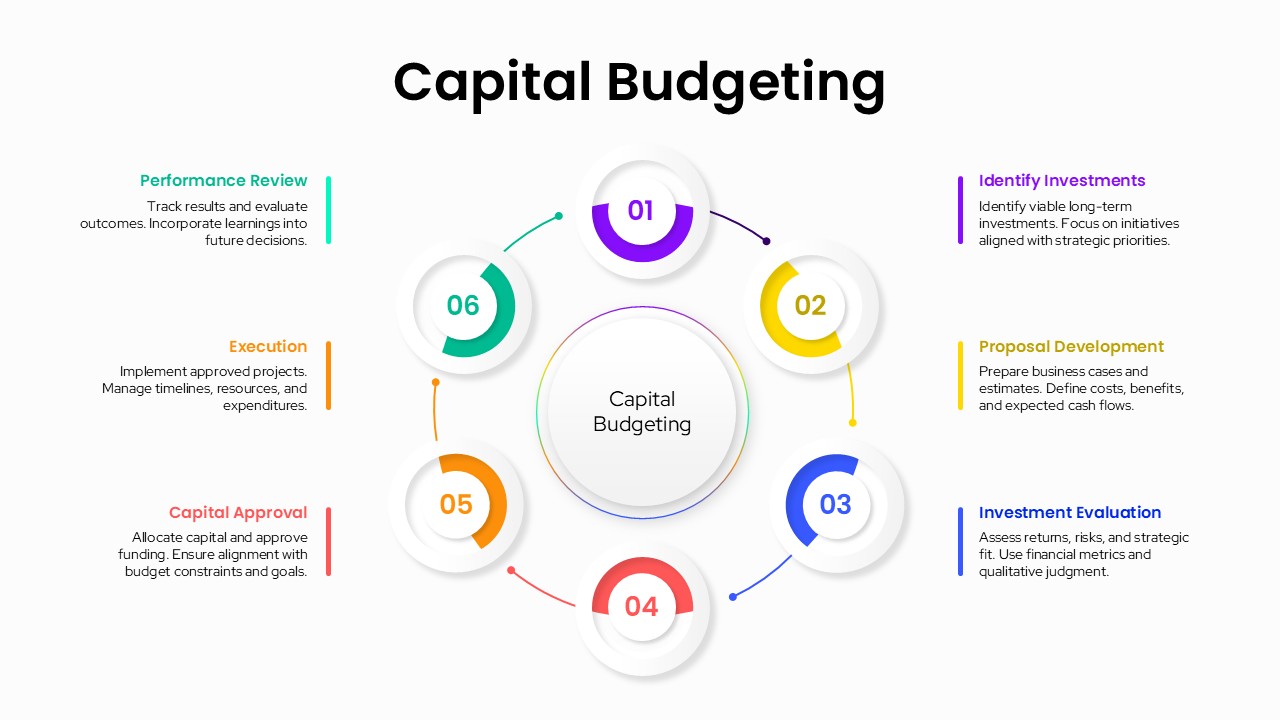
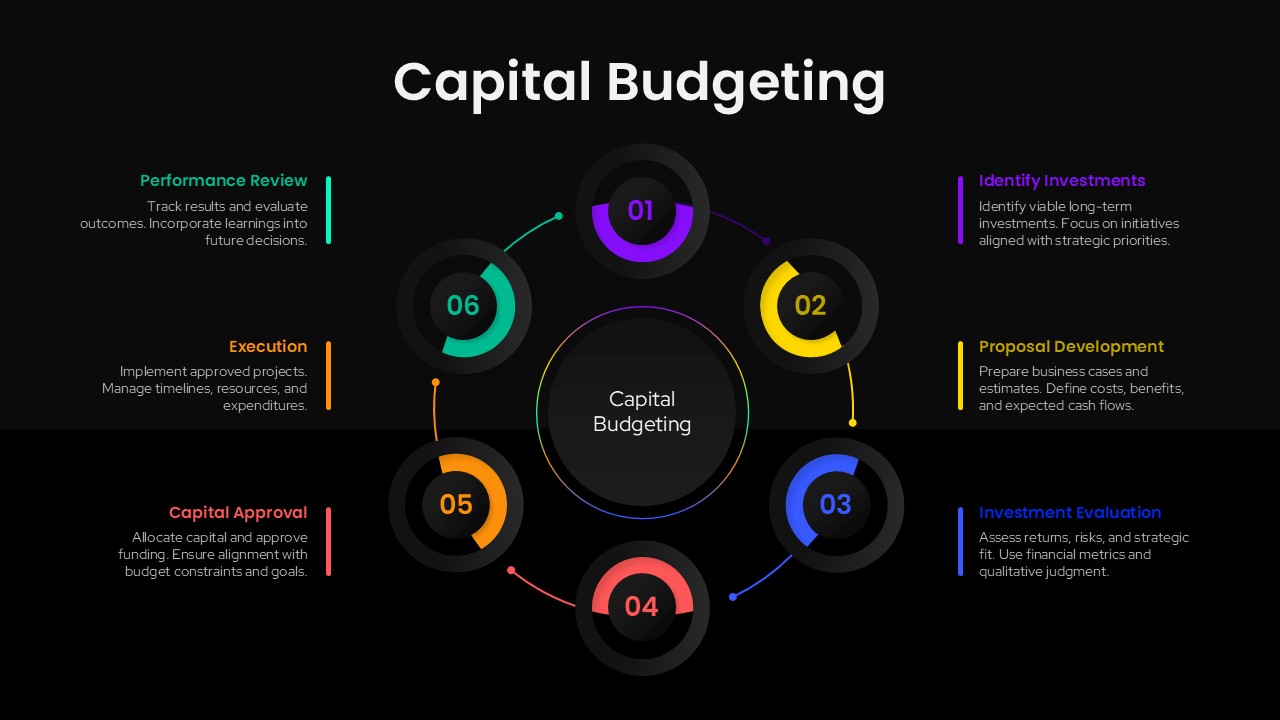
Explain the capital budgeting lifecycle with clarity using this structured circular process slide designed for strategic finance and investment presentations. The visual centers on a core “Capital Budgeting” hub surrounded by six interconnected stages, each represented by a numbered circular segment with a distinct color accent. This radial layout emphasizes continuity and decision flow, making it easy to communicate how investment ideas move from identification through execution and performance review.

Each step is supported by a concise text block positioned around the diagram, clearly outlining key actions such as identifying investments, developing proposals, evaluating returns and risks, approving capital, executing projects, and reviewing performance outcomes. The clean white background, soft shadows, and modern typography ensure excellent readability while maintaining a polished, executive-ready aesthetic. Color-coded elements help differentiate stages without distracting from the content, allowing audiences to follow the process intuitively.

Designed for flexibility, the slide is fully editable, enabling users to adjust stage names, descriptions, colors, or sequence to match organizational frameworks or industry-specific practices. The circular structure works particularly well for explaining recurring review cycles and long-term investment governance. Optimized for both PowerPoint and Google Slides, this template preserves layout integrity and visual quality across platforms, ensuring smooth collaboration and presentation delivery.

By consolidating the entire capital budgeting process into a single visual, this slide supports better understanding, faster alignment, and more effective decision-making in financial planning discussions.

Who is it for

This slide is ideal for finance managers, CFOs, investment analysts, business leaders, and consultants presenting capital allocation strategies. It is also well suited for MBA students, educators, and corporate trainers explaining financial management frameworks.

Other Uses

Beyond capital budgeting, reuse this slide for investment lifecycle overviews, financial decision workflows, strategic planning cycles, governance models, or continuous improvement processes across business functions.

Login to download this file