Proof of Stake PowerPoint Template
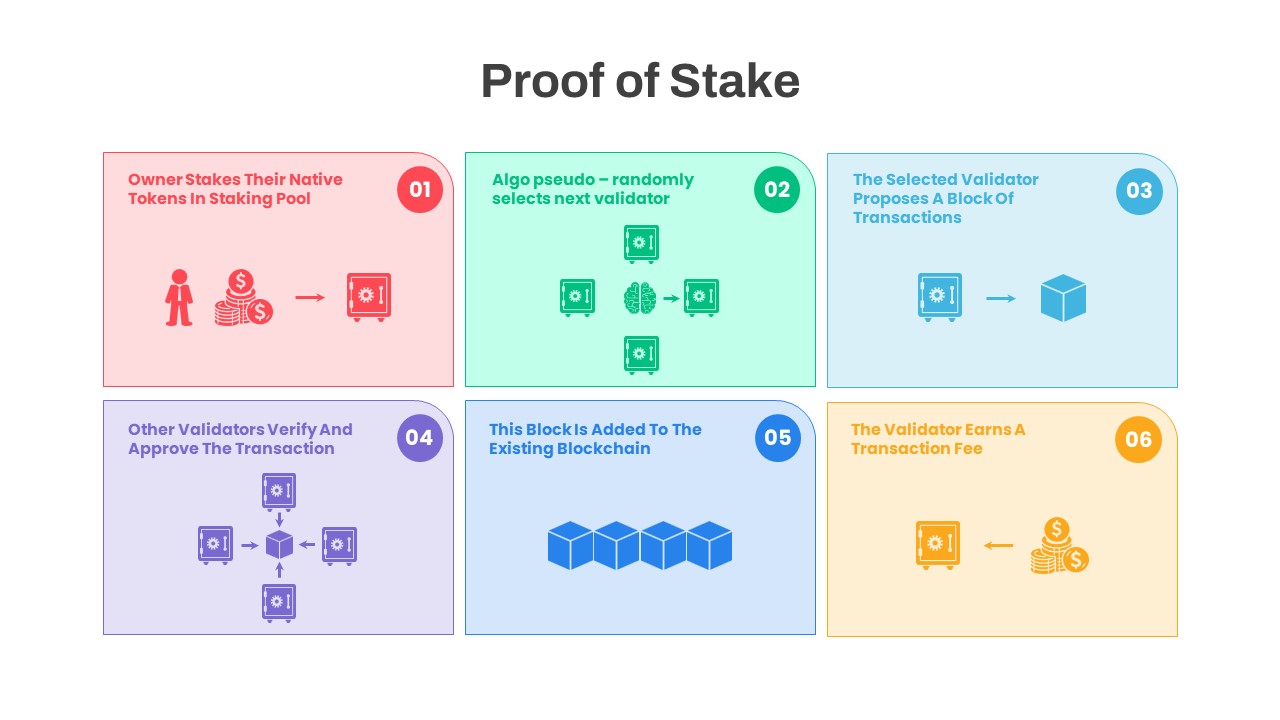
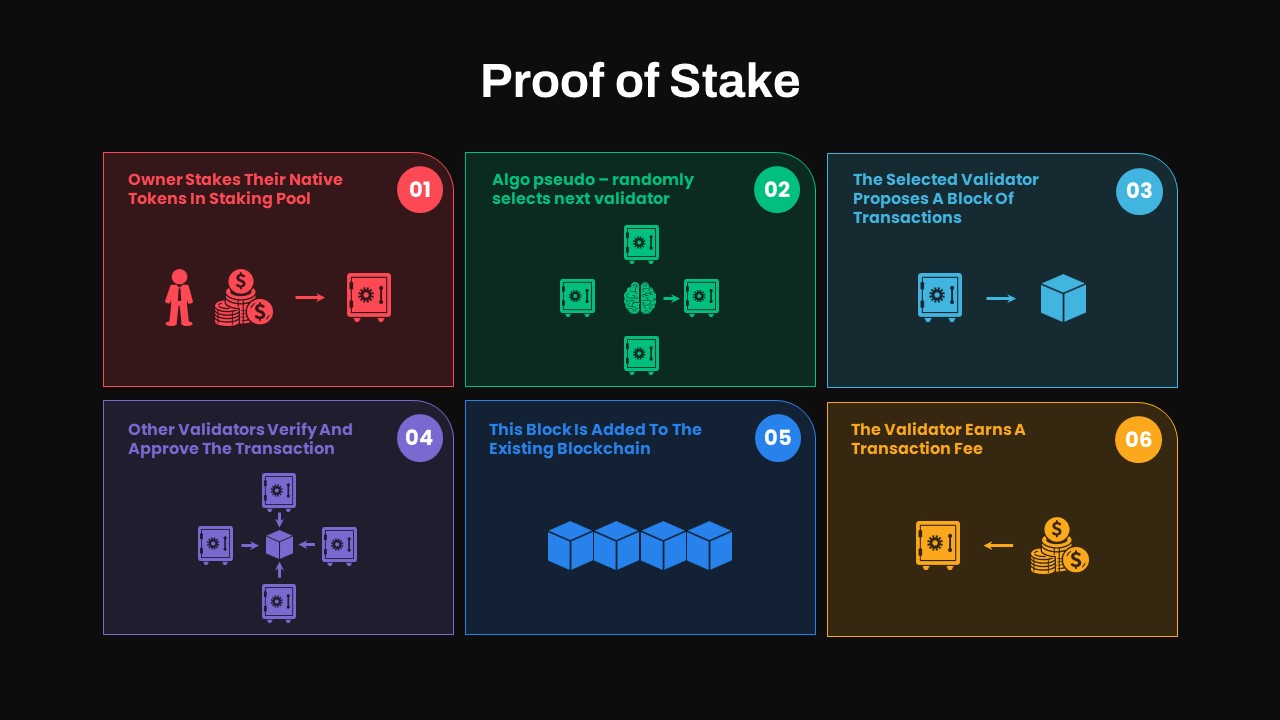
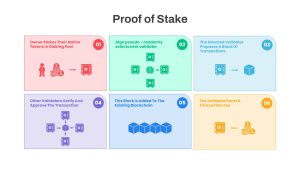

Explain the Proof of Stake (PoS) consensus mechanism with a clean six-step infographic designed for easy understanding. The layout uses six numbered pill-shaped panels to show how staking, validator selection, block proposal, verification, block addition, and validator rewards work together. Pastel red, green, sky blue, lavender, blue, and orange sections create clear visual separation without making the slide feel crowded.
Where You Can Use This PoS Infographic
This PowerPoint template can support presentations about blockchain technology, cryptocurrency, and decentralized networks. Blockchain developers can use it to explain validator workflows, while cryptocurrency analysts can visualize consensus processes and network economics. Technology teams can also adapt the structure for protocol documentation, technical training, or stakeholder presentations.
You can also repurpose the infographic for:
- Blockchain consensus comparisons
- Proof of Stake presentations
- Cryptocurrency and tokenomics workshops
- Validator process explanations
- Network security briefings
- Decentralization discussions
- Blockchain technology training
- Academic and technical seminars
Designed for both PowerPoint and Google Slides, this editable infographic makes it simple to customize the content for different audiences. Replace the sample icons, update the step descriptions, modify the color palette, or add animations to emphasize individual stages. The modular structure also makes it easy to expand the workflow or create related blockchain process slides.
Login to download this file

Item ID
SB04531